The Earned Value Analysis (EVA) is a project management method using CPI and SPI KPIs to show whether a project is on track in terms of cost and schedule.
(TU-Munich, 1997). 29 years of experience as a project, program and portfolio manager. Certified as a SAFE Agilist, Project Manager (GPM) and Scrum Master.
The Earned Value Analysis (EVA) is a project management method that allows the use of the KPIs CPI/SPI. It shows whether the project is on schedule in terms of costs and schedule.
1. Definition
1.1 Earned Value Analysis: Why?
Earned value analysis (or earned value management) is a widely used method for measuring the performance of projects. These three areas are considered in this method:
Scope
Costs
Time
The following core questions can be answered with the EVA:
Is our plan on schedule, are we late?
When will the project be completed based on the current status?
Are we over or under budget?
What is the estimated cost upon completion of the project?
How efficiently do we use our resources?
In order to set up the EVA, the following requirements are necessary:
Precise baselining of the planned values (time, costs and scope) from a WBS, plan milestones and assign costs
Precise actual cost information: real-time actual data, clear differentiation between booking types
Precise progress measurement: degree of completion calculated based on clear work/scope artifacts
Realistic estimates of completion collected by the project team
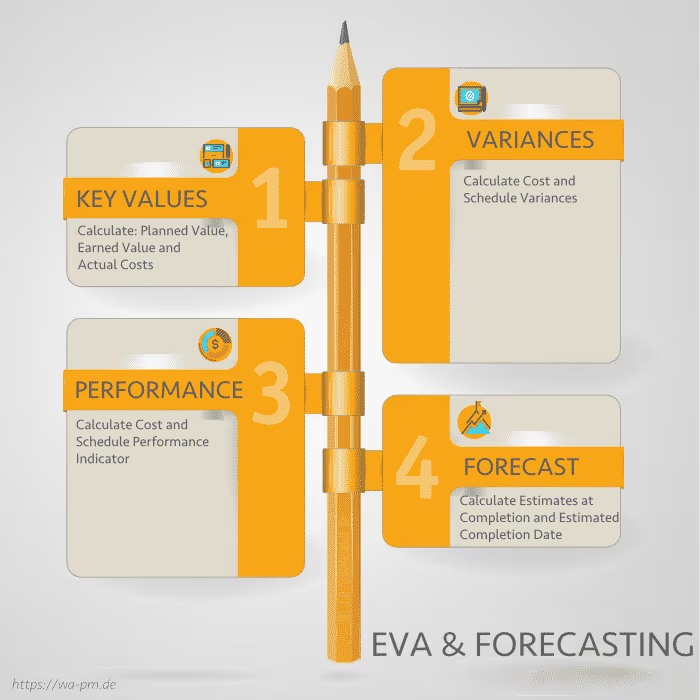
1.2 Key Values
Budget at Completion (BAC): Total cost of the project
Planned Value (PV): The amount of work in EUR that needs to be performed according to the schedule. PV = BAC * Planned degree of completion in %
Earned Value (EV): The amount expressed in EUR for the work actually done. EV = BAC * completed degree in %
Actual Costs (AC): The sum of all costs actually posted (in EUR)
2. The Baselines
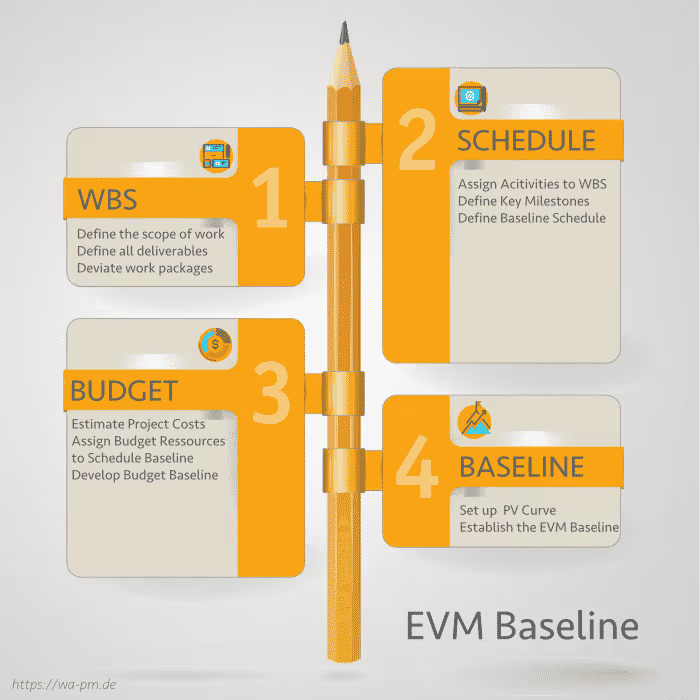
The quality of the baseline for the earned value analysis is a key success factor. The following procedure might be helpful:
Define the initial scope of work based on the project brief
Document all achievements in the WBS to achieve 100% visibility at a high level
Deviation from all required work packages that serve the services
Assign activities to work packages, define milestones and set the schedule
The short-term work packages should contain more detail than the long-term packages.
If a roadmap plan is in place, the WBS should be linked to it
Estimate the costs for the entire project duration
Estimate detailed short-term activities
Appreciate long-term work packages
Create a budget baseline
A BAC is defined for the entire project
A BAC per fiscal year is defined if this view is required for the EVA
A PV curve is available
3. The KPIs
The following key figures are mainly used in the context of EVA:
Export all Jira artifacts to any database in real time. Auto-created tables, event-driven updates, and direct BI tool integration with Tableau or Power BI—unlock the full potential of your Jira data.
Streamline Jira administration with no-code Issue Picker custom fields powered by JQL. Let users select the right issues in seconds—and automatically create (or update) links for clean, connected Jira data.
Build context-aware Jira screens without code. VIP.LEAN Behaviours Builder enables flexible rules, dynamic field control, and instantly effective changes for clean, relevant data capture.









.svg)