1 min read
Try it in your own Jira.
All VIP.LEAN apps run on Forge and come with a free trial on the Atlassian Marketplace.
All VIP.LEAN apps run on Forge and come with a free trial on the Atlassian Marketplace.
Risk and issue management are central components of project management. Learn about risk types, identification, analysis, and the full cycle of risk and issue management.

(TU-Munich, 1997). 29 years of experience as a project, program and portfolio manager. Certified as a SAFE Agilist, Project Manager (GPM) and Scrum Master.

Risk and issue management are central components of project management. Risks and issues must be successfully identified and minimized to ensure the success of a project. What exactly risks and issues are, what the difference between the two terms is, and how the process of risk and issue management is structured are presented in this article.
Risk and issues management help to reduce or, at best, prevent negative impacts on a project. A project is considered at risk if any of the following elements are impacted:
In addition, factors such as loss of motivation or image must also be taken into account.
Risk analysis and management represent a systematic and formal process approach. The process of risk management takes place in all phases of project life.
Risk and issue management is part of both classic and agile project management. In the SAFe Framework, the process module Agile Risk Management is dedicated to this topic. In the PMI Framework, the topic is mapped in the Risk Management Framework. There is a dedicated certification for this: PMI Risk Management Professional (PMI-RMP).
Project risks are uncertain events with a negative impact on the success of the project. They are determined by the probability of occurrence of the risk and the potential loss if the risk materializes.
Workshops can serve as a basis for identifying risks, where the project team identifies risks using, for example, brainstorm techniques, risk checklists, or by analyzing projects that have already been completed. Risks can also be identified spontaneously in weekly team meetings or discussions.
The expected value of a risk (= risk value) is a product of the probability of occurrence and the potential consequences if the risk occurs:
Risk value = probability of occurrence [%] * scope [EUR]
The scope is the estimated financial consequences of a risk event. The probability of occurrence is usually estimated by the project team before the project starts.
Problems are events that are happening now that are already impacting the project and need to be actively addressed to limit the negative consequences (Impacts). In many cases, these are problems that could not have been foreseen. Risks that occur can become problems (issues).
In risk management, the initial focus is on predicting future events (risk identification), while issues management is about finding a quick solution to an existing problem (developing responses/mitigation actions).
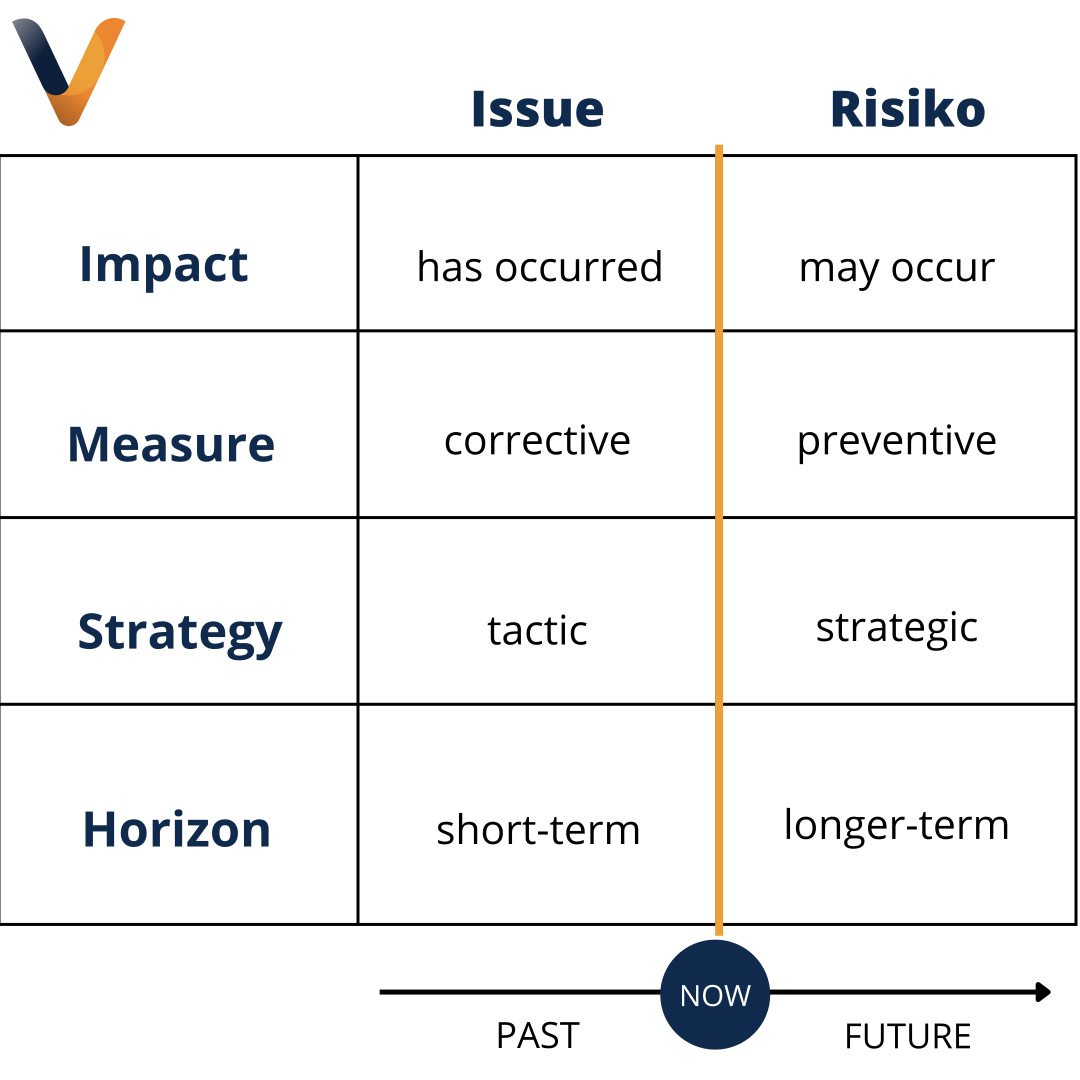
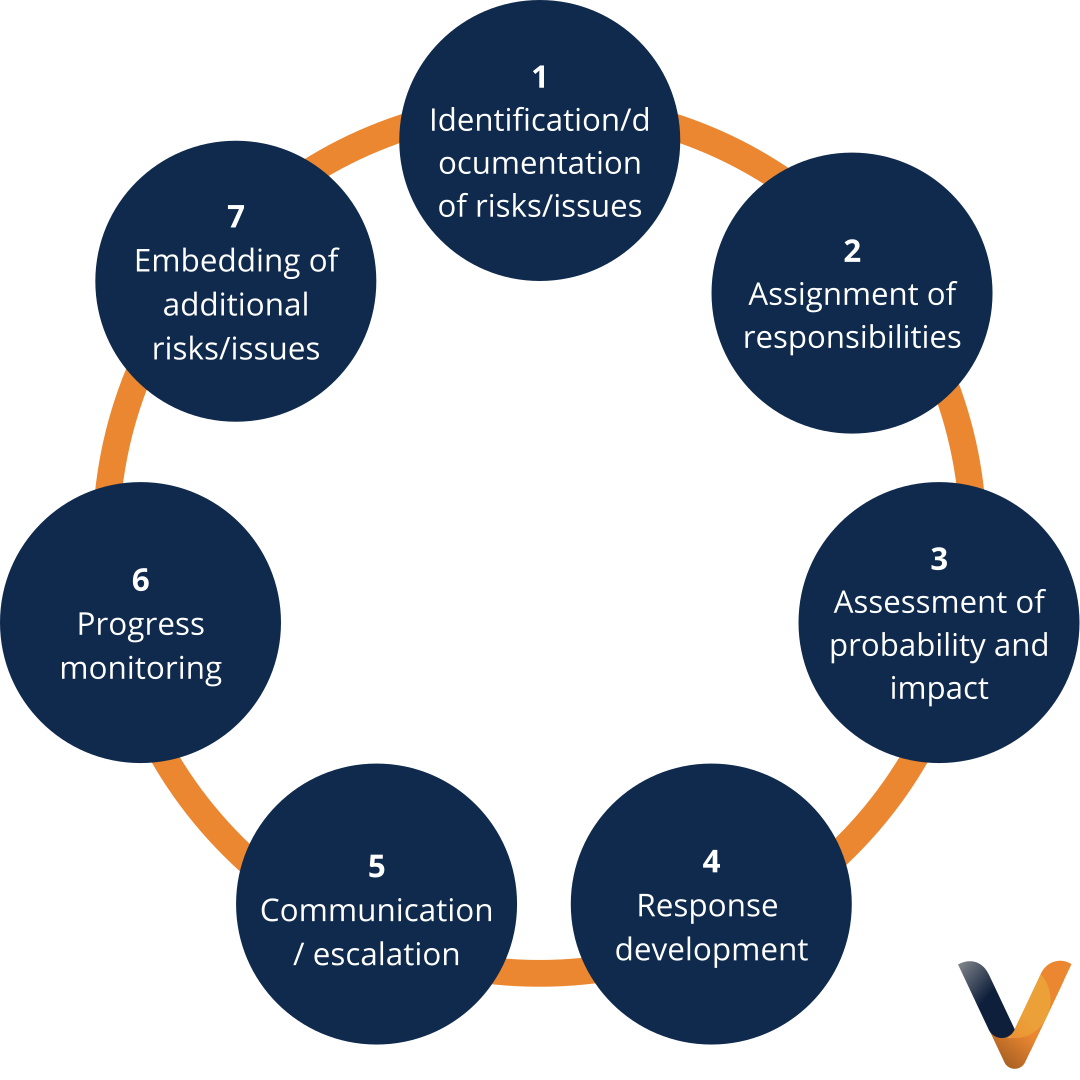
In the start phase of the project, the focus is on identifying risks. There are general and project-specific risks that should be known and communicated as early as possible. Issues are identified directly in operational project activities.
Sources for project risks are:
Project management relies on communication of risks/problems by the project team. Due to different roles and responsibilities, different project stakeholders have different views on risks. Therefore, it is important that the project manager is in contact with representatives of all stakeholder groups.
Reporting a risk/problem to project management does not mean that responsibility is transferred to project management. If the identifier clearly indicates that someone else should be responsible, project management has several options:
The procedure for risk and issue management also requires an assessment of risks and issues in terms of their impact and probability of occurrence.
Probability describes how likely a risk can occur (in percent):
Impact is classified as: Very low, Low, Medium, High, Very high, or Exact value in EUR.
Once a risk has occurred and/or become an issue, a solution measure must be found. This follows this schema:
Once a risk has been identified, it is important to monitor progress in risk mitigation and problem solving at all levels.
The project team should record the following information when closing a risk:
.svg)