






.svg)

Wie verwalte ich bestehende Buttons?
Verwalte Jira-Schaltflächen mit Bearbeitungs- und Löschoptionen direkt im App-Panel „Erstellen und verknüpfen“.
1. Wie verwalte ich die vorhandenen Schaltflächen zum Erstellen und Verknüpfen?
Erforderliche Jira-Rolle: Jira Software Administrator//Wir verwenden hier das Dark Theme für Screenshots
- Klicken Sie auf Einstellungen > Apps
- Navigiere zur App „Create and Lin“
- Die Liste der Issue Picker wird angezeigt
.avif)
- Die Liste der Issue Picker wird angezeigt
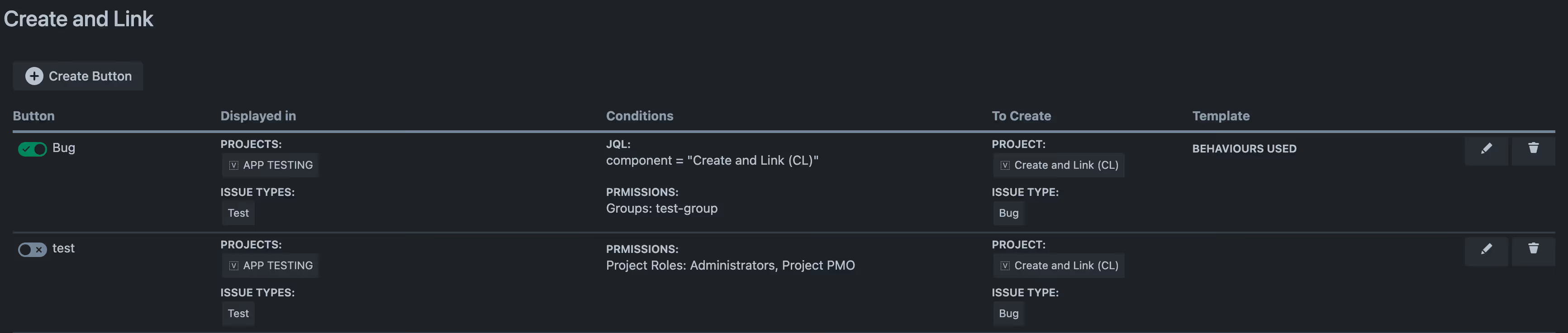
Sie können die folgenden Aktionen mithilfe der Kontextmenü-Symbole starten:
- Bearbeiten: Sie können alle Parameter bearbeiten, mit denen der Button erstellt wurde:
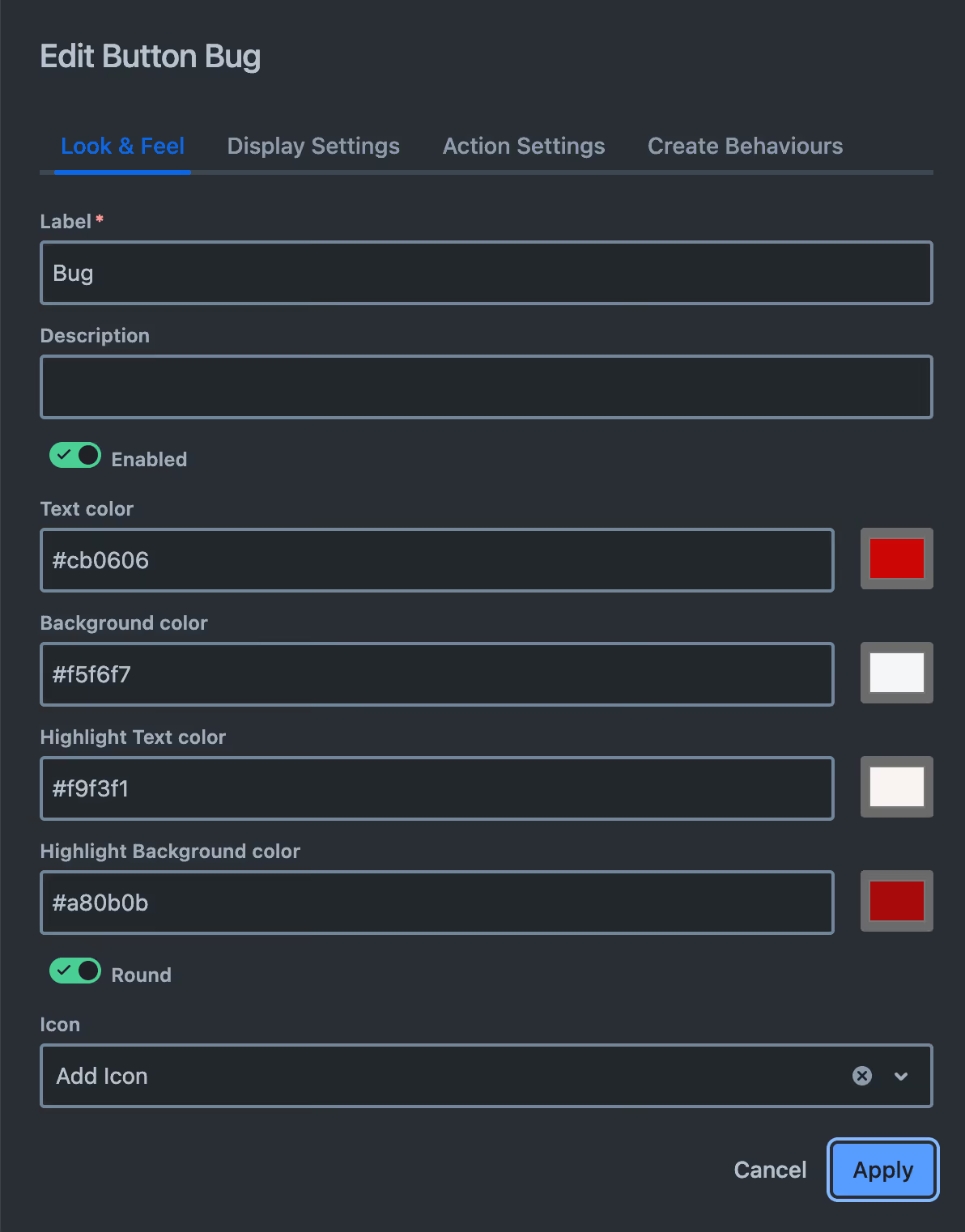
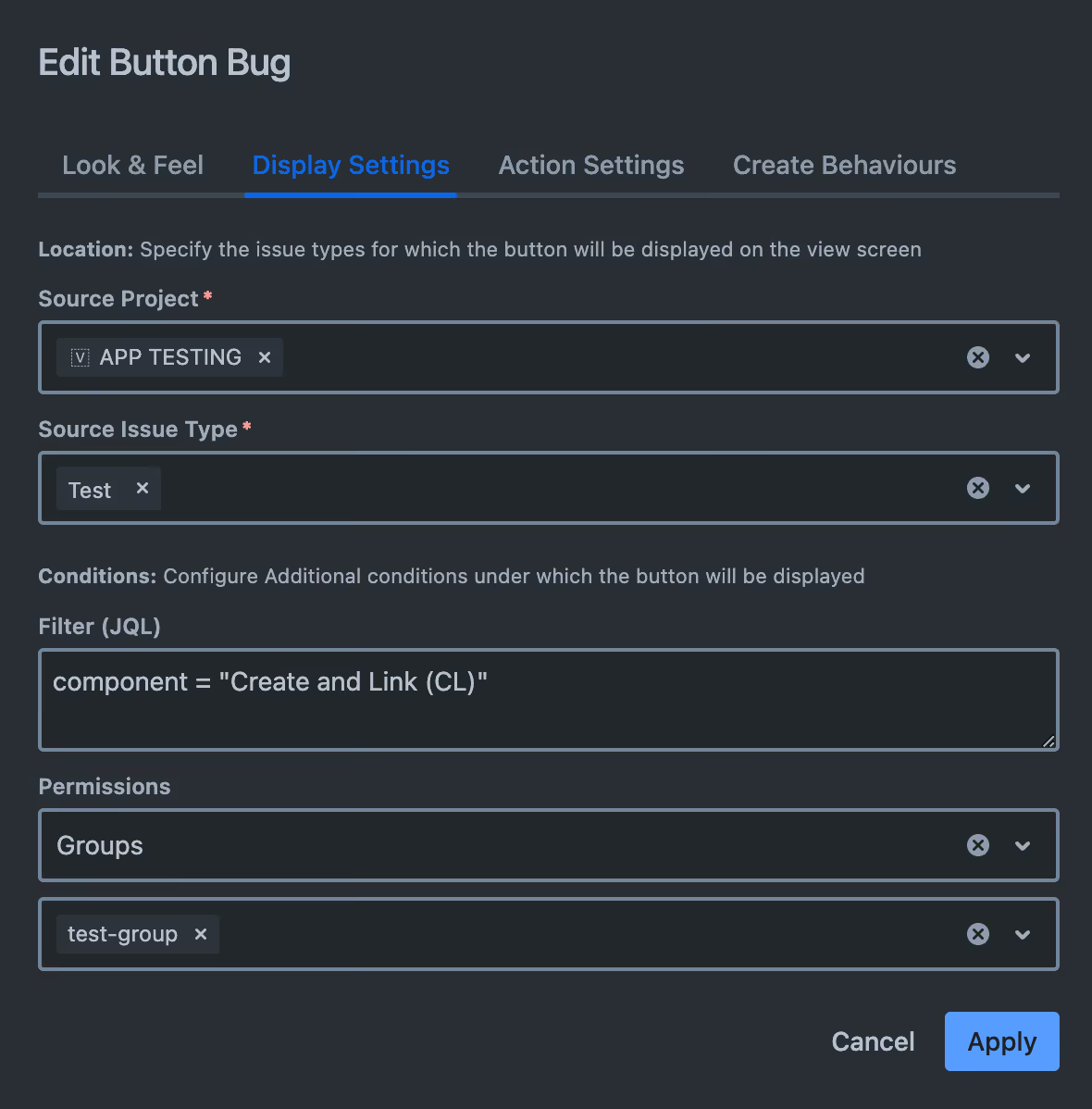
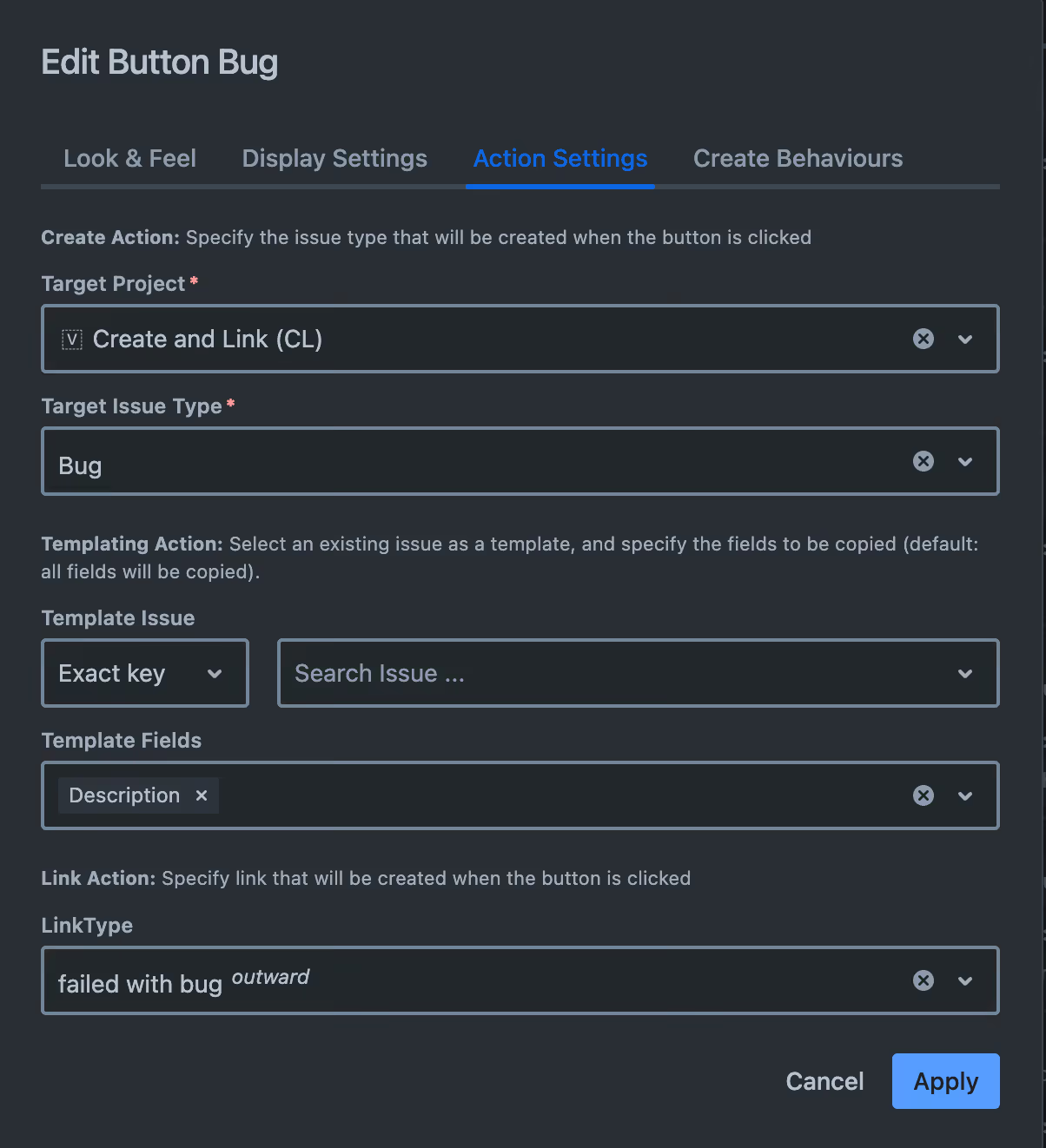
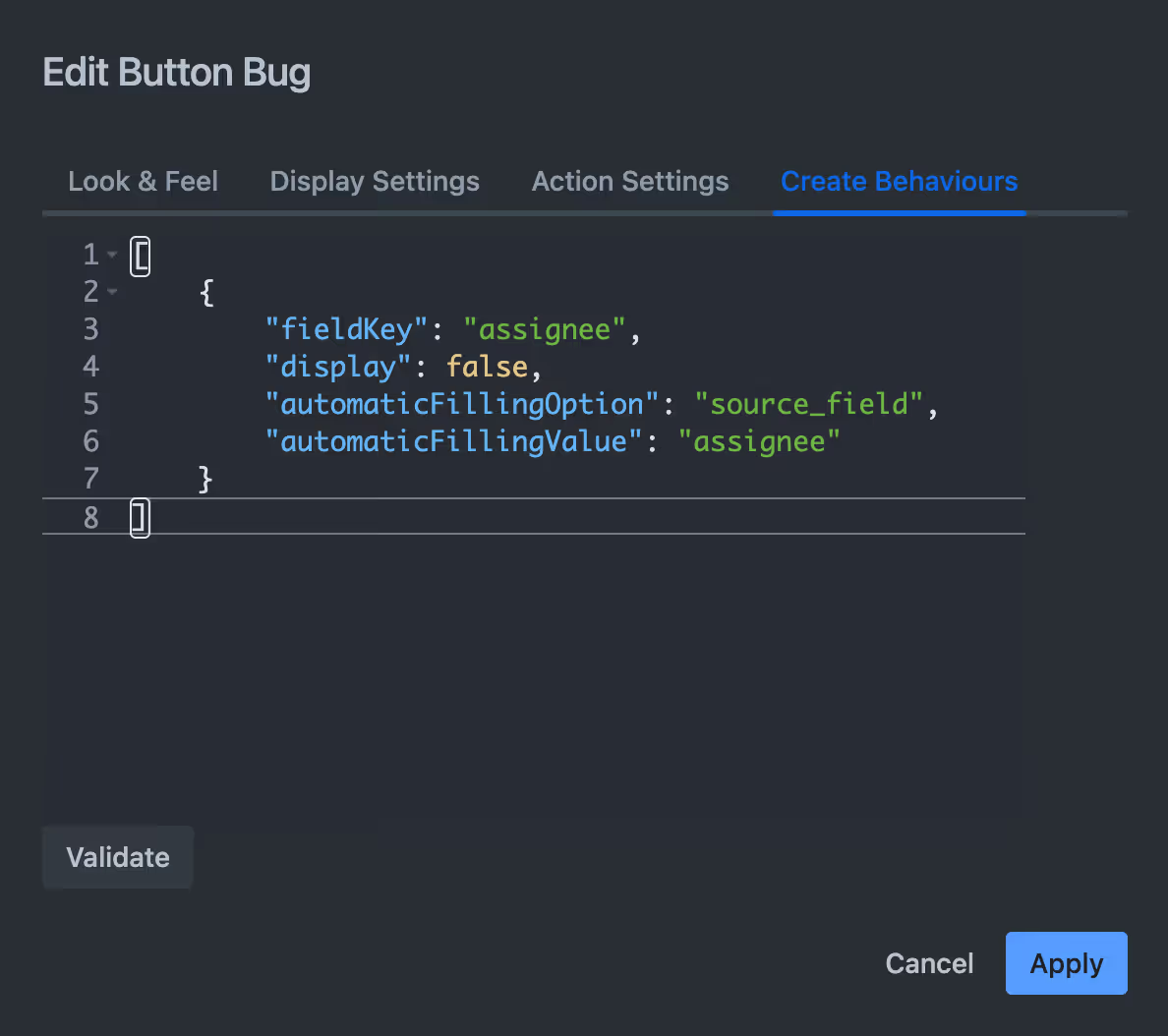
- Löschen: Sie können den Button nach Ihrer Bestätigung löschen:
