.svg)




1 min read
Try it in your own Jira.
All VIP.LEAN apps run on Forge and come with a free trial on the Atlassian Marketplace.
All VIP.LEAN apps run on Forge and come with a free trial on the Atlassian Marketplace.
Read your Data Center instance, let AI explain the scripts in business terms, review every rule — then rebuild in Cloud from a documented target.

(TU-Munich, 1997). 29 years of experience as a project, program and portfolio manager. Certified as a SAFE Agilist, Project Manager (GPM) and Scrum Master.
Moving from Jira Data Center to Jira Cloud is rarely hard for technical reasons. The hard part is finding out what your instance actually does today, and whether the business still needs all of it.
For a customer with a large Jira Data Center instance we built an AI-assisted pipeline that reads the instance read-only and writes business-level documentation into Confluence: issue types, fields, workflows, Behaviours and Automation rules, across a huge number of projects. This article shows what is extracted, how only changed pages are regenerated, how the AI turns scripts into plain language, and what a finished page looks like.
After many years on Data Center, an instance holds an enormous number of artefacts, many of them customised. When they were designed, they mirrored the intended process. Since then, usage has moved on: fields serve other purposes, rules fire in situations nobody planned for, and parts of the configuration have drifted from the original concept. None of this is written down. It lives in places a business owner never looks at:
The Jira Cloud Migration Assistant moves the technical artefacts. It cannot tell you which of them still describe how the business works. And since Cloud is a different platform, every rule has to be decided on again: rebuild, simplify, or drop.
Instead of a plain lift and shift, a migration can start from a documented target that the business has reviewed, with the Cloud design built on top of it. That requires documentation business owners can read and push back on: every page describes an issue type in business terms — which fields it has, who may do what in which status, which rules check or change data, and how often each field is actually used.
Process owners review these pages in Confluence, where they already comment and approve. Every rule gets a verdict: still the process, simplify, or drop. The Cloud implementation then starts from that reviewed target, not from a copy of the old configuration.
The pipeline is not tied to a migration. It only regenerates what changed, so it can document a Data Center instance continuously, and with other extractors a Cloud site as well.
Five stages, one of them uses AI.
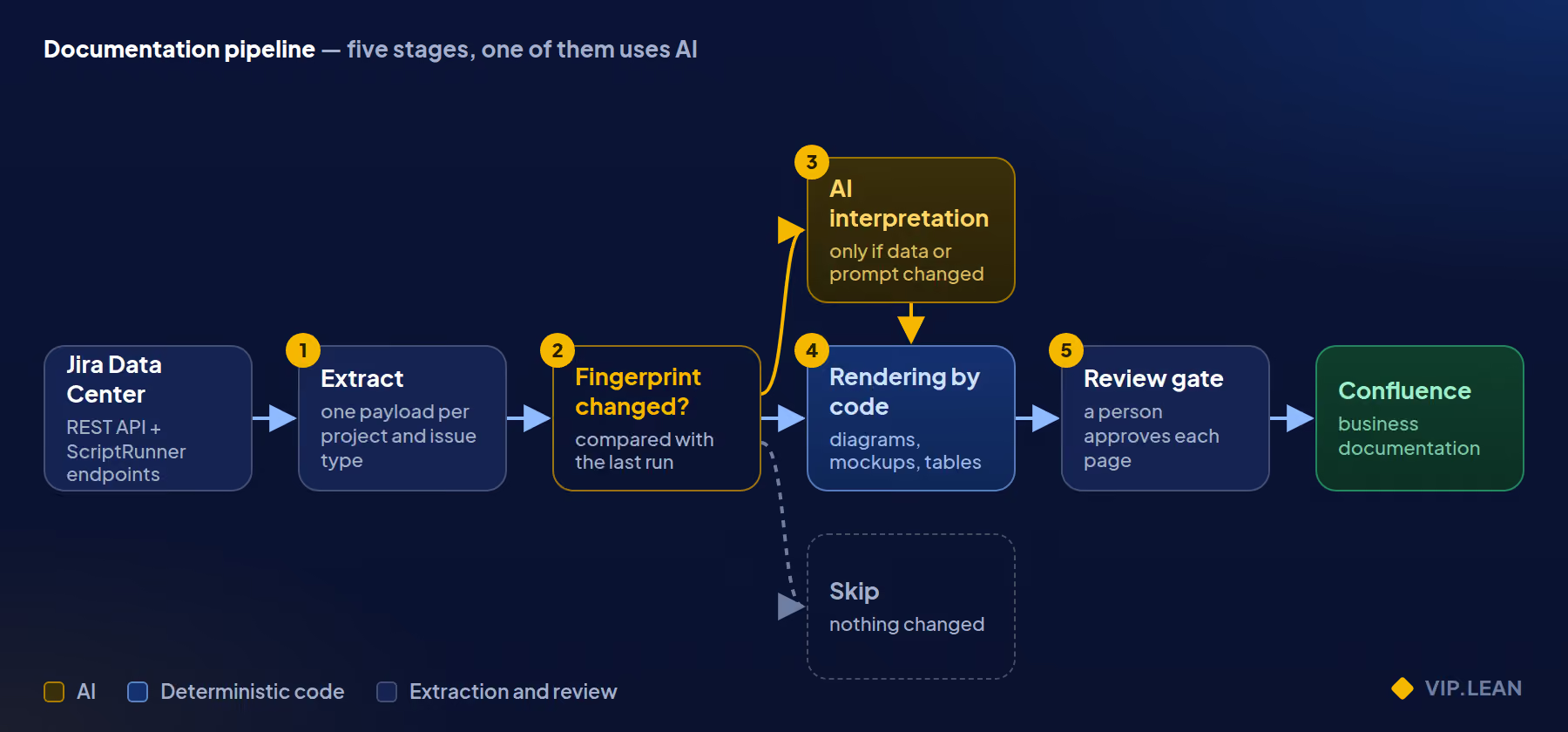
A script extracts the configuration and compares it with the previous run. The AI is only called when data or prompt changed. Diagrams, mockups and tables are rendered by code, and a person approves each page before it goes live.
The standard Jira REST API has no endpoint for workflow validators with their script code, none for Behaviours or script fragments, and none for the Groovy files on the server. Five small ScriptRunner custom REST endpoints close those gaps.
| Endpoint | Returns |
|---|---|
workflowRules |
Conditions, validators and post functions per transition of a workflow |
workflowScript |
The source of a Groovy file from the server's script roots |
behavioursConfig |
All Behaviours with mappings, field rules and initialisers |
scriptFragments |
Script fragments such as buttons and web items, with their conditions and the scripts behind them |
linkMatrix |
How issue types are linked to each other across projects |
The skeleton of such an endpoint is short:
@BaseScript CustomEndpointDelegate delegate

workflowScript(httpMethod: "GET", groups: ["jira-administrators"]) {
    MultivaluedMap query, String body ->
        def path = query.getFirst("path")
        // only *.groovy, no "..", must resolve inside a script root
        // read the file, cap its size, return it as JSON
        Response.ok(new JsonBuilder([path: path, script: text]).toString()).build()
}
Four rules keep the endpoints safe on a production instance:
.groovy files inside the configured script roots.Automation for Jira needs no custom endpoint. Its own REST API in Data Center returns every rule with its complete trigger and component tree.
For each project and issue type the extractor builds one JSON payload: statuses, fields, screens and tabs, the screen per operation, workflows with rules and scripts, roles, field options, Behaviours, script fragments and Automation rules.
Most of it comes from standard REST calls. The difficulty is that several of them return incomplete or misleading data without any error. The extractor handles each case explicitly:
| What the API does | What the extractor does instead |
|---|---|
| Screen names do not tell you the operation (create, edit, view) | Reads the screen scheme from the project settings page, which states the operation per screen |
The classic createmeta call returns "Issue Does Not Exist" in Jira 10 |
Uses the paginated per-issue-type variant |
createmeta only knows create fields |
Loads the field catalogue once per run to type fields that only appear on view, edit or transition screens |
| A project filter on Behaviours misses "All projects" mappings | Loads all Behaviours once and filters on the client |
| The Automation API silently returns only global rules when given a project key | Filters by numeric project ID |
| Role logic lives in shared Groovy classes | Follows import statements and fetches the imported scripts too |
The custom field API treats startAt as a page number, not an offset |
Pages correctly, or you get 100 of 750 fields |
Two more things matter at scale:
Generating one large issue-type page takes the AI several minutes and tens of thousands of output tokens. Rebuilding every page on every run would be slow, expensive, and would flood Confluence with meaningless page versions.
So every run stores a state file per project and issue type: the complete Jira payload plus a set of fingerprints. Jira returns byte-identical data on repeated calls, with no timestamps or counters, which makes change detection possible.
| Fingerprint | Hashes | If it changed |
|---|---|---|
| Jira data | The canonical JSON payload | Ask the AI again |
| Prompt | Model, system prompt, page outline, limits | Ask the AI again |
| Diagram | Source code of the diagram renderer | Rebuild the page from stored text, no AI |
| Page assembly | Source code of every layout function | Rebuild the page from stored text, no AI |
The decision per unit reads like this:
if state is None or state.prompt_fp != prompt_fingerprint():
    return "generate"            # ask the AI
if canonical(state.payload) != canonical(jira_payload):
    return "generate"            # Jira configuration changed
if state.svg_fp != svg_fingerprint() or state.page_fp != page_fingerprint():
    return "page_only"           # new layout, same content: no AI call
if not page_exists:
    return "page_only"           # restore a deleted page
return "skip"
The fingerprints hash source code, not version numbers. Somebody always forgets to bump a version number; nobody can forget to change the code they have just changed. Any change that shapes the output needs a fingerprint, or the next run silently does not deliver it.
The review gate uses the same state: a rejected page is stored with a rejected flag. If the layout code changed since, the next run repairs the page without an AI call; only if nothing changed is the AI asked again.
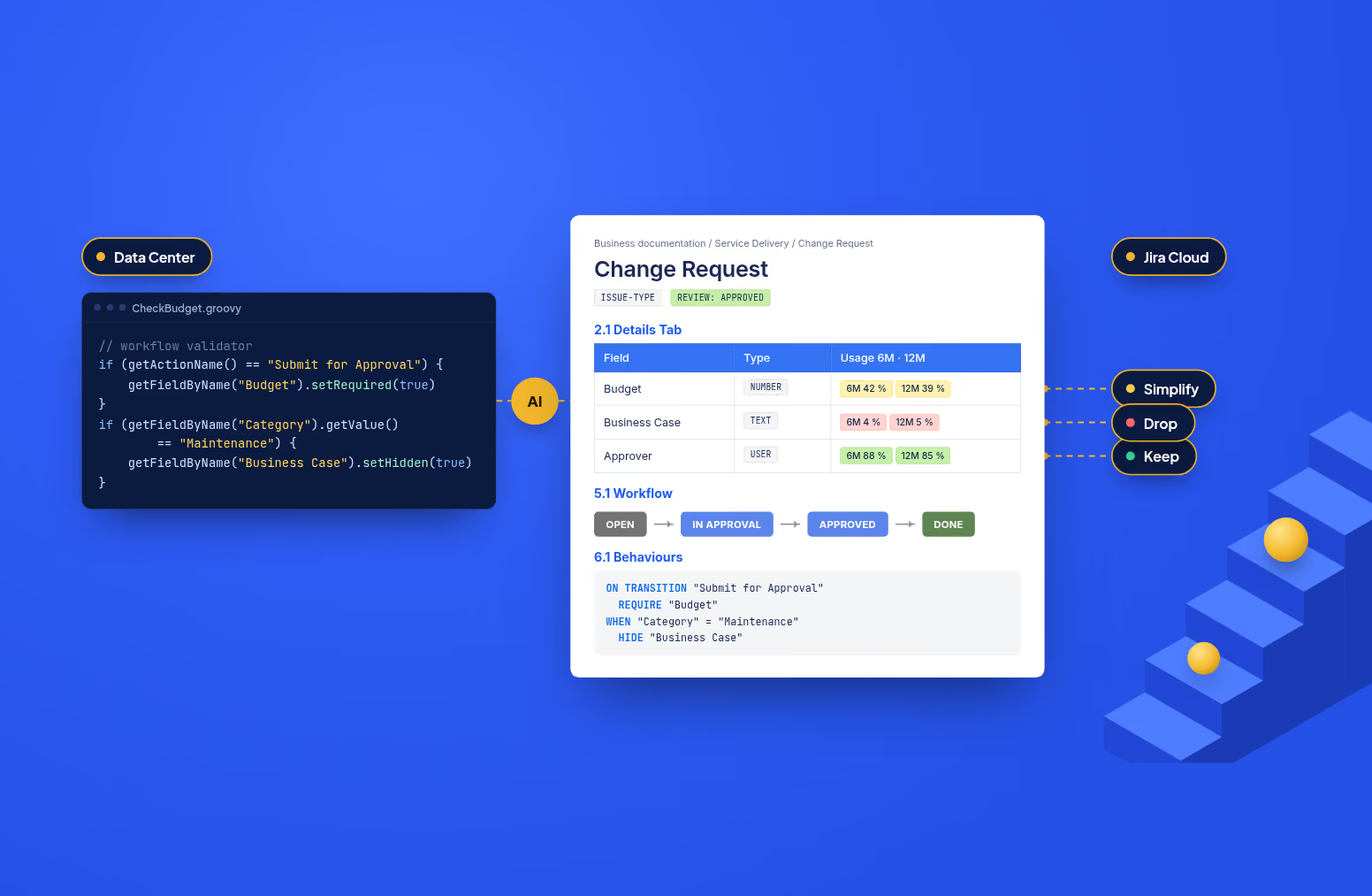
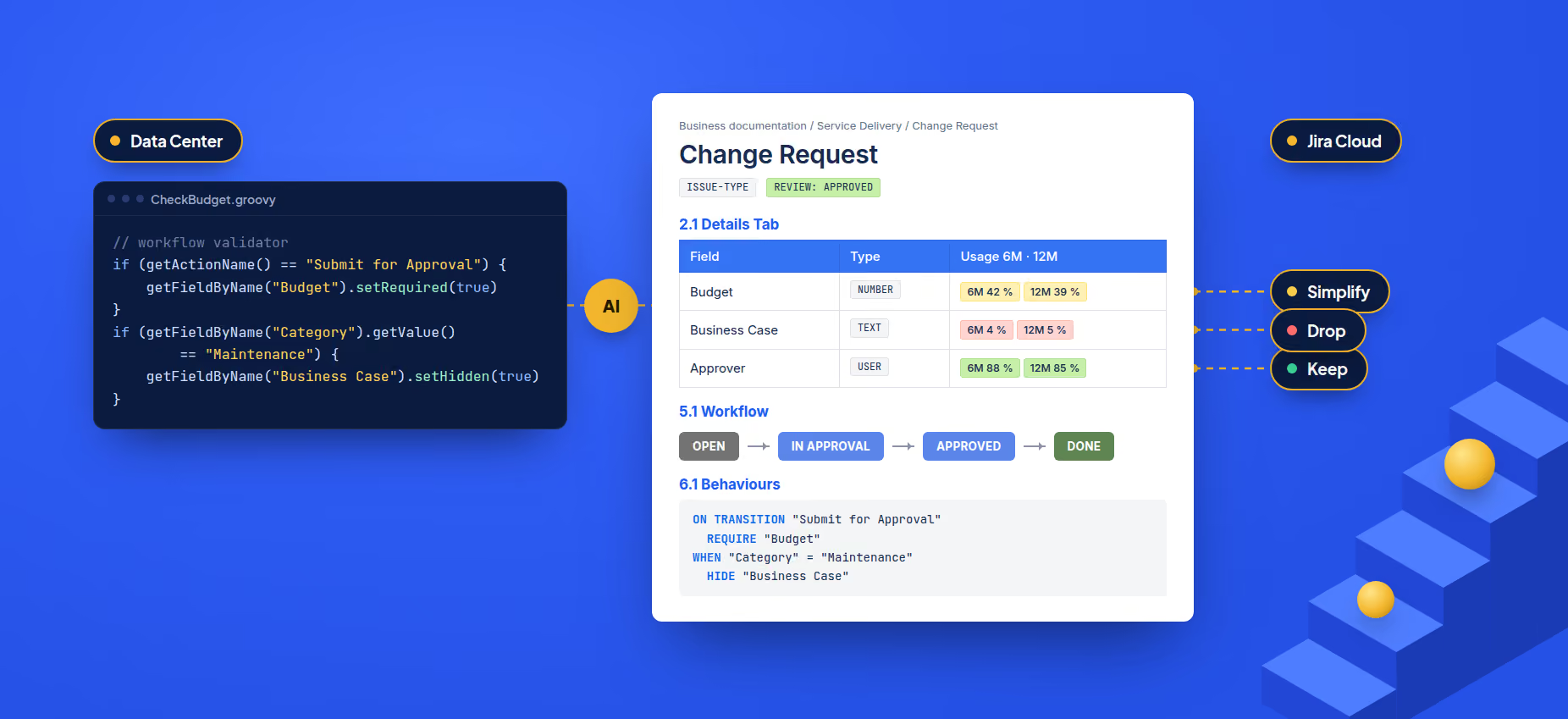
This is where AI is actually useful. A validator called CheckApprover.groovy tells a process owner nothing. The AI reads the script and the utility classes it imports, then states the business rule it implements.
We use Claude with a fixed model version, one call per issue type. The prompt has three parts:
For Behaviours, prose is too vague for field logic, so the AI writes indented pseudocode with a small fixed vocabulary:
// Behaviour script (simplified)
if (getActionName() == "Submit for Approval") {
    getFieldByName("Budget").setRequired(true)
}
if (getFieldByName("Category").getValue() == "Maintenance") {
    getFieldByName("Business Case").setHidden(true)
}
ON TRANSITION "Submit for Approval"
  REQUIRE "Budget"
WHEN "Category" = "Maintenance"
  HIDE "Business Case"
A process owner reads the second block and says "yes, still true" or "we dropped that rule years ago". That is the review a migration decision needs.
Three design decisions keep this reliable and affordable:
The AI writes text and tables. Everything that must be exact is drawn by code from the same payload: same data, same picture, no AI cost, no invented arrows.
| Visual | What it shows |
|---|---|
| Workflow diagram | Statuses ranked by process order, forward transitions solid, backward ones dashed, self-transitions as a counter badge |
| Field model | One card per screen tab, with check marks for create, view, edit and transition screens |
| Screen mockups | Each screen tab redrawn as Jira renders it, with the right widget per field type |
| Usage badges | Share of issues with this field filled in the last 6 and 12 months, red at 5% or less |
| Automation flow | Each rule as a when / if / then chain, with IDs resolved to names |
| Relationship map | How issue types link to each other across projects |
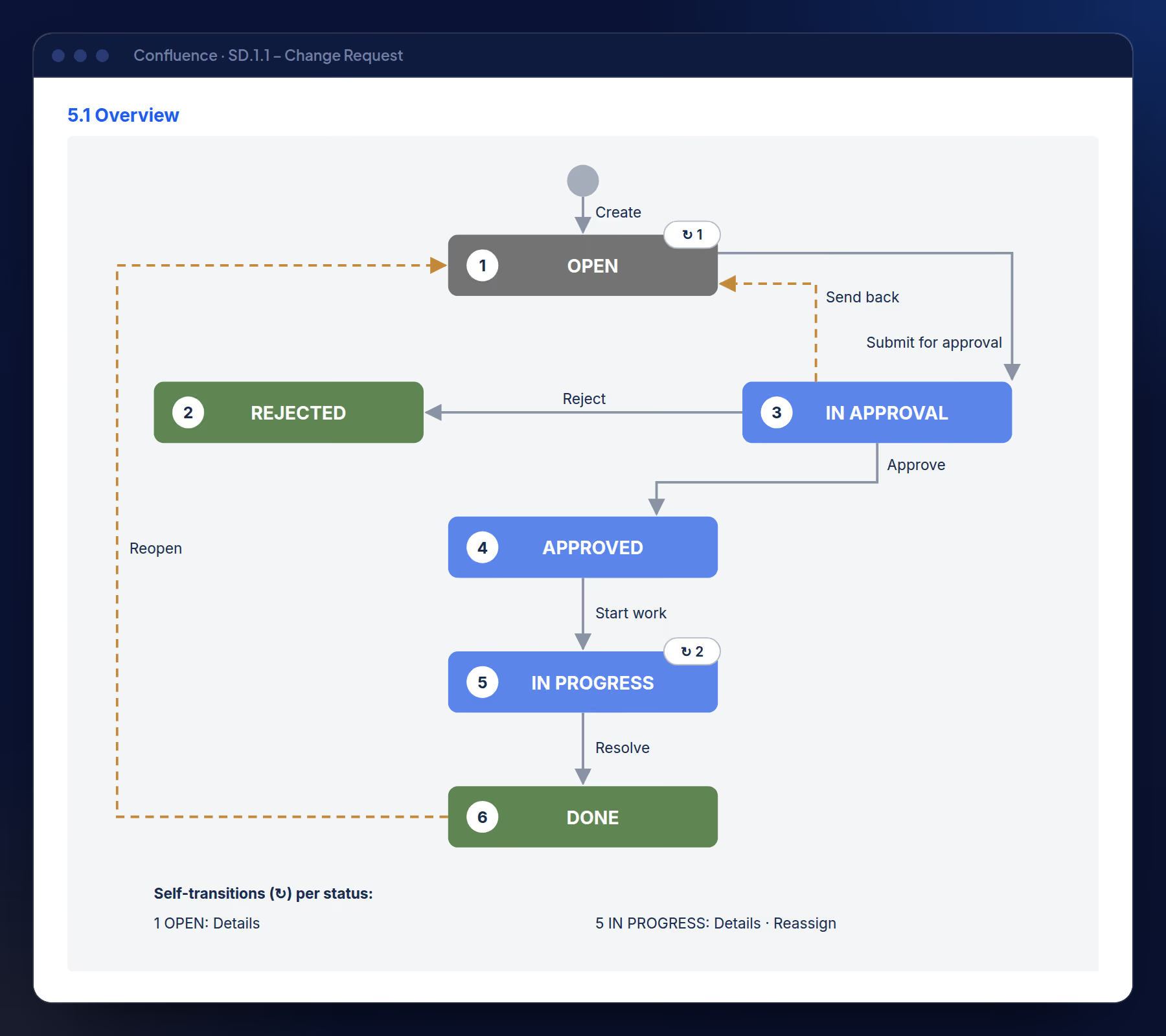
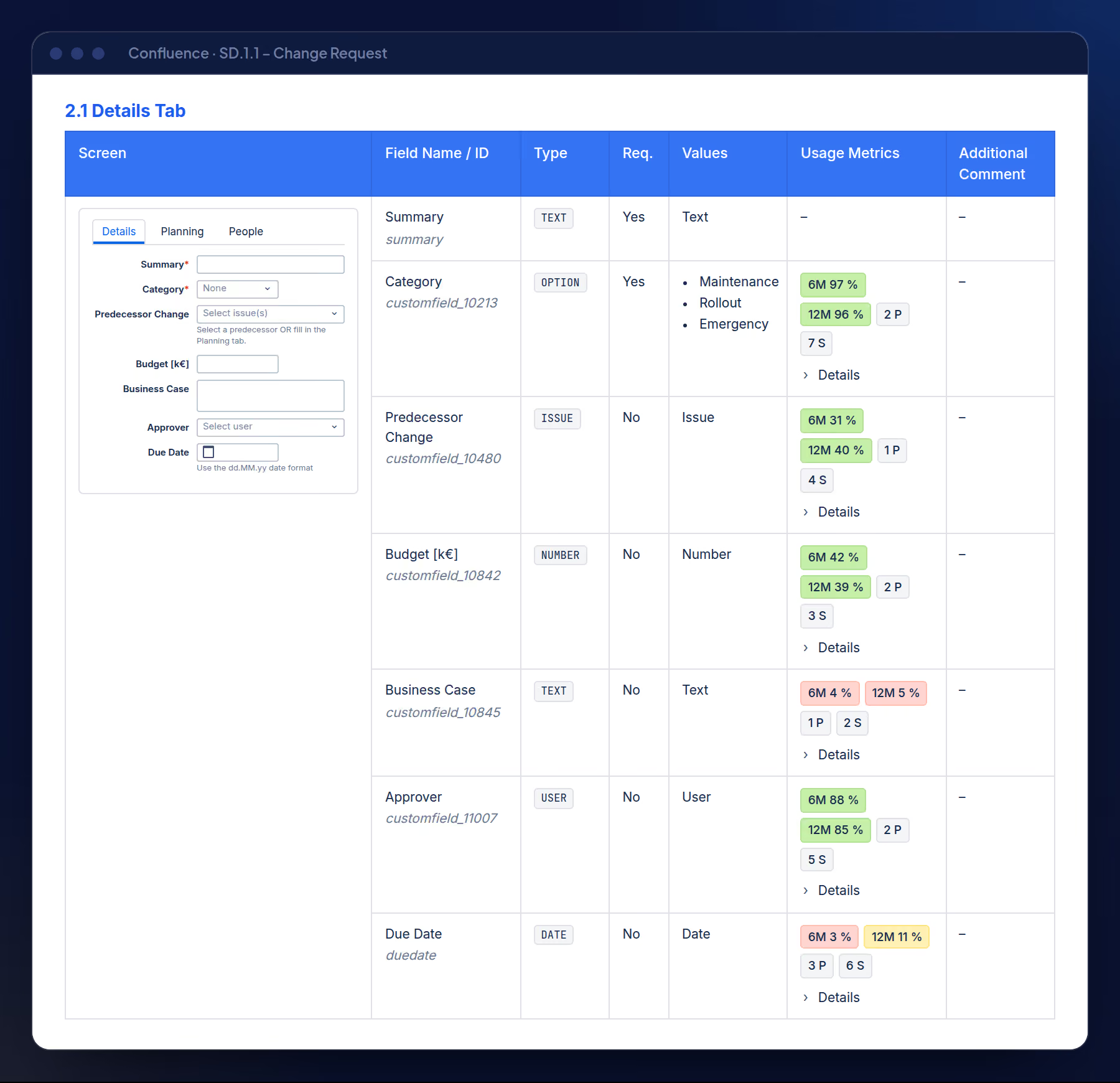
A fixed assembly step turns the Markdown into Confluence storage format: mockups next to their tables, status and type labels, uniform column widths, numbered headings, each transition linked to its screen section. Every page is checked as strict XHTML before upload.
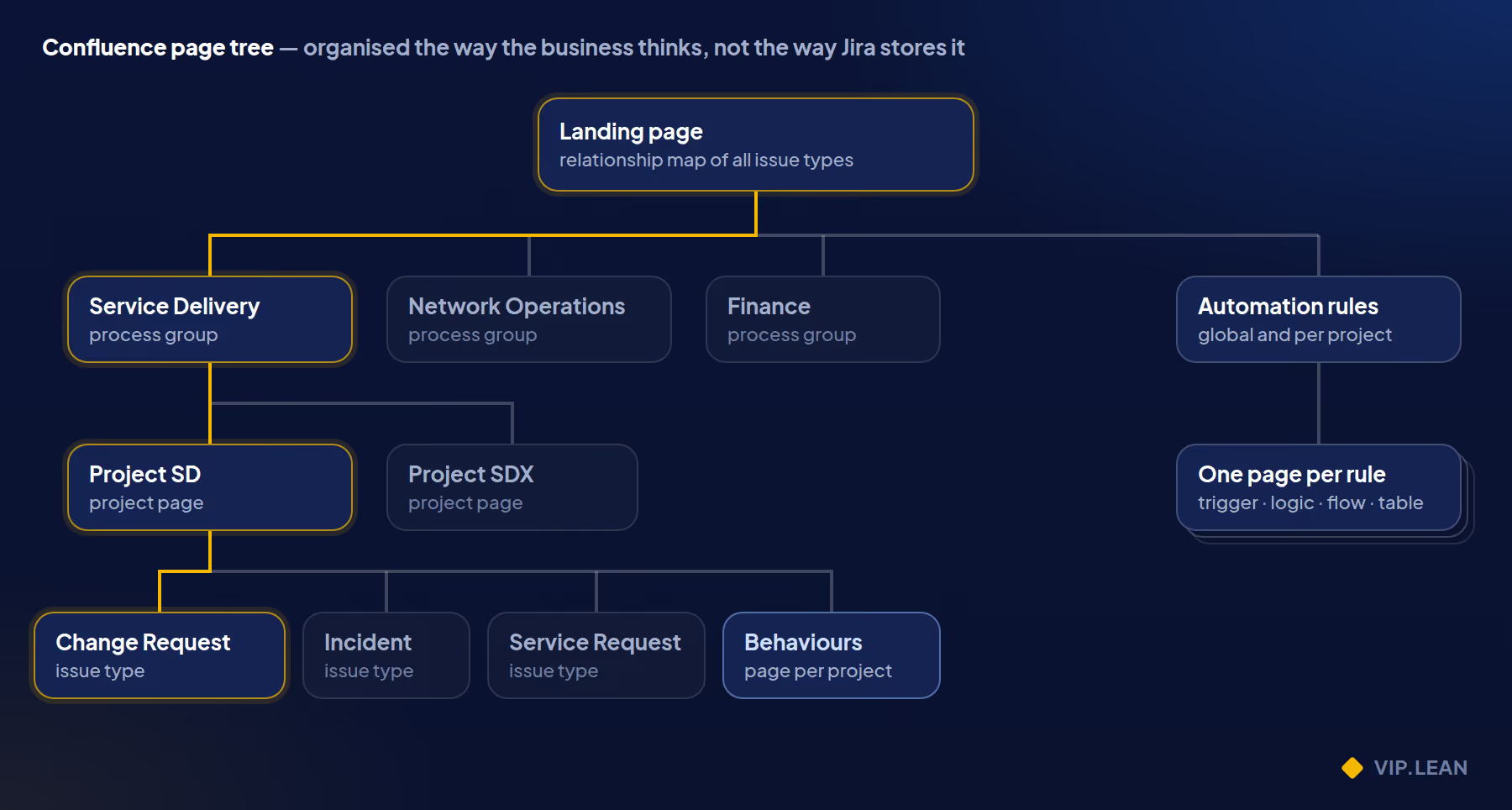
The page tree is organised the way the business thinks about its processes, not the way Jira stores them:
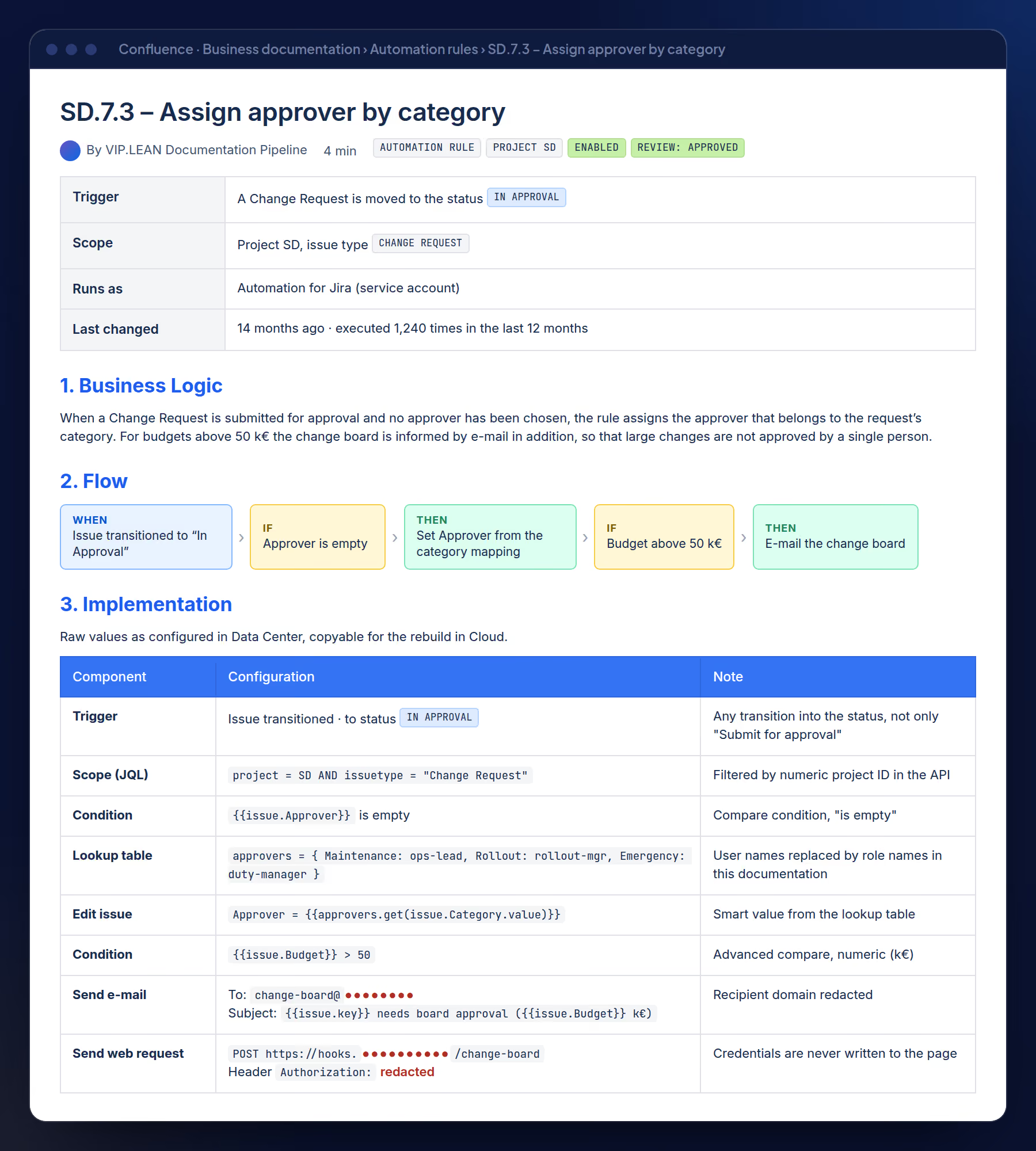
An issue-type page always has the same chapters, numbered and with a table of contents:
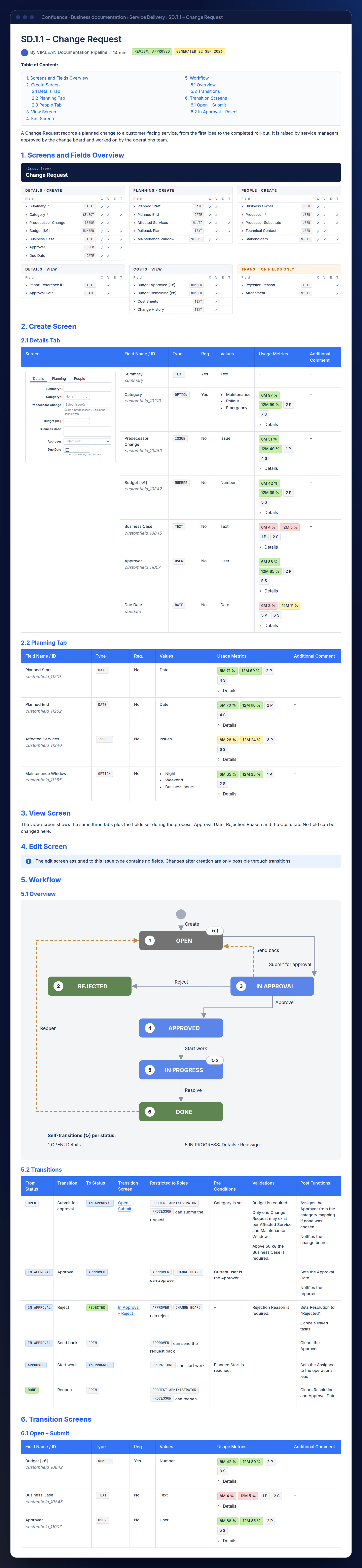
The Behaviours page lists every Behaviour of the project in one table: issue type, screens, target fields and the pseudocode from Step 4.
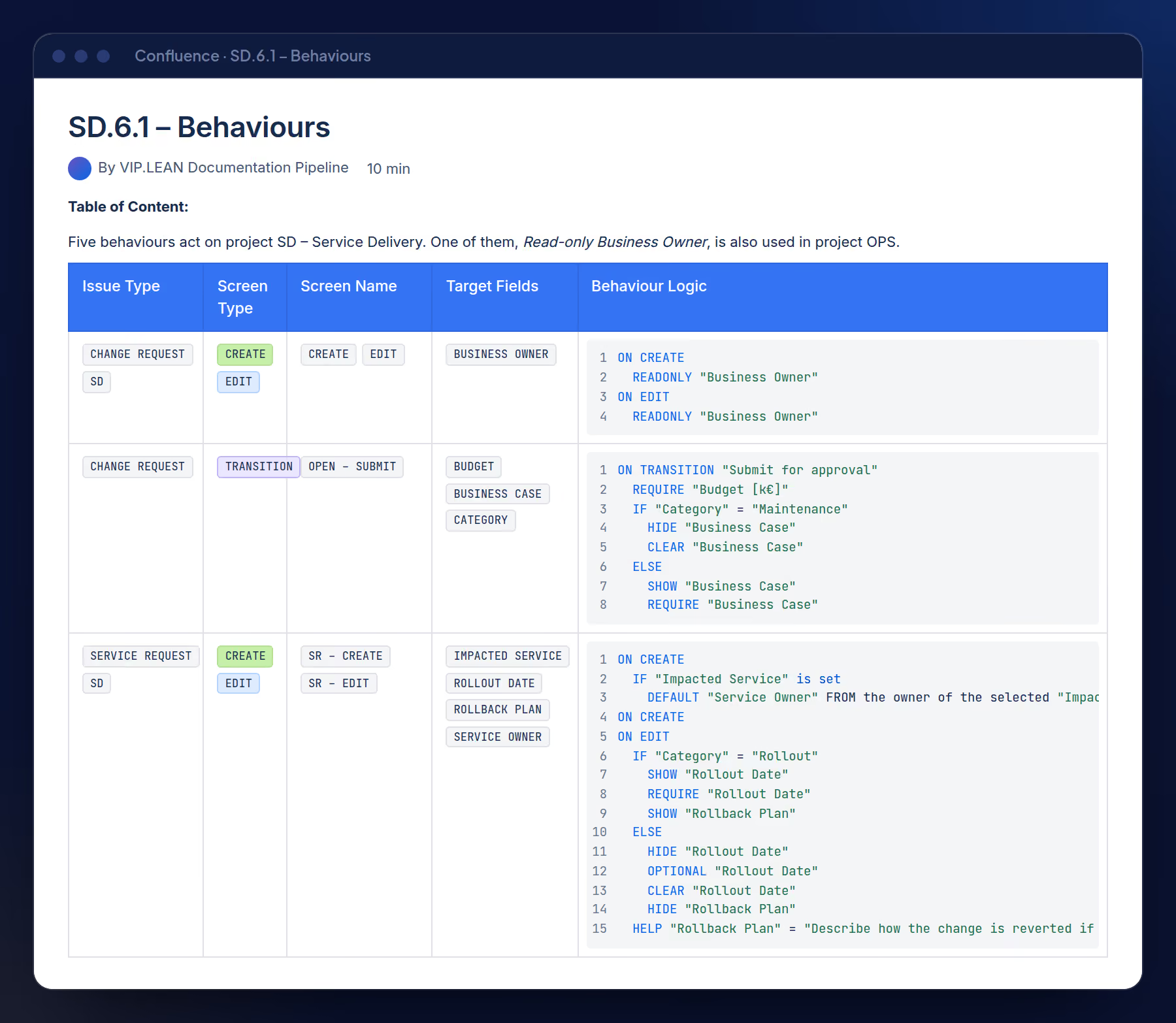
Each Automation rule gets its own page: trigger, scope, business logic, a flow diagram and an implementation table that keeps every JQL query and smart value raw and copyable for the rebuild in Cloud. Webhook credentials are always redacted.
Once the documentation exists, running it again is cheap, and the same pipeline serves three more purposes.
A regression test for the configuration. Every run stores a complete snapshot. When a fingerprint shows a change, the pipeline can notify the admins and point to the exact difference: which transition, which validator, which field. A workflow changed by mistake can be compared with its previous state, and because Confluence keeps every page version, the before and after is also readable in business language.
Business documentation as a deliverable. Organisations are increasingly asked for business-level documentation of their Jira processes, for audits, onboarding or process ownership. Written by hand it takes weeks and is outdated at the next change; the pipeline keeps it current.
Hygiene and quality assurance. The extracted data shows where an instance can be simplified:
All of this carries over to Jira Cloud: after a move, the extraction layer points at the Cloud site, and the reviewed target is compared with the live configuration continuously.
The move to Cloud is not a platform change to get over with. It is the one moment when every rule in your Jira gets a conscious decision — keep, simplify, or drop — and the configuration becomes a business decision again. And for teams that rebuild the reviewed rules with our apps, the AI-generated documentation comes at no extra cost.
The reviewed documentation doubles as a build list for Jira Cloud, and a migration is the moment to move these rules into no-code configuration. Three kinds of findings map directly to our apps:
| Found in Data Center | What the documentation gives you | Rebuild in Cloud with | Why switch now |
|---|---|---|---|
| Issue picker fields and the links they create | Every picker field per issue type, its usage and the link types between issue types | VIP.LEAN Issue Pickers | Once the link types are reviewed and consolidated, the picker fields are filled backwards from the migrated issue links. Existing data carries over; new links are created and kept in sync in both directions |
| Behaviours | Each Behaviour as reviewed business pseudocode: when, which field, which rule | VIP.LEAN Behaviours Builder | Every rule is reviewed anyway. Configure it without code, in the same trigger, condition and action shape the business approved, and let admins maintain it |
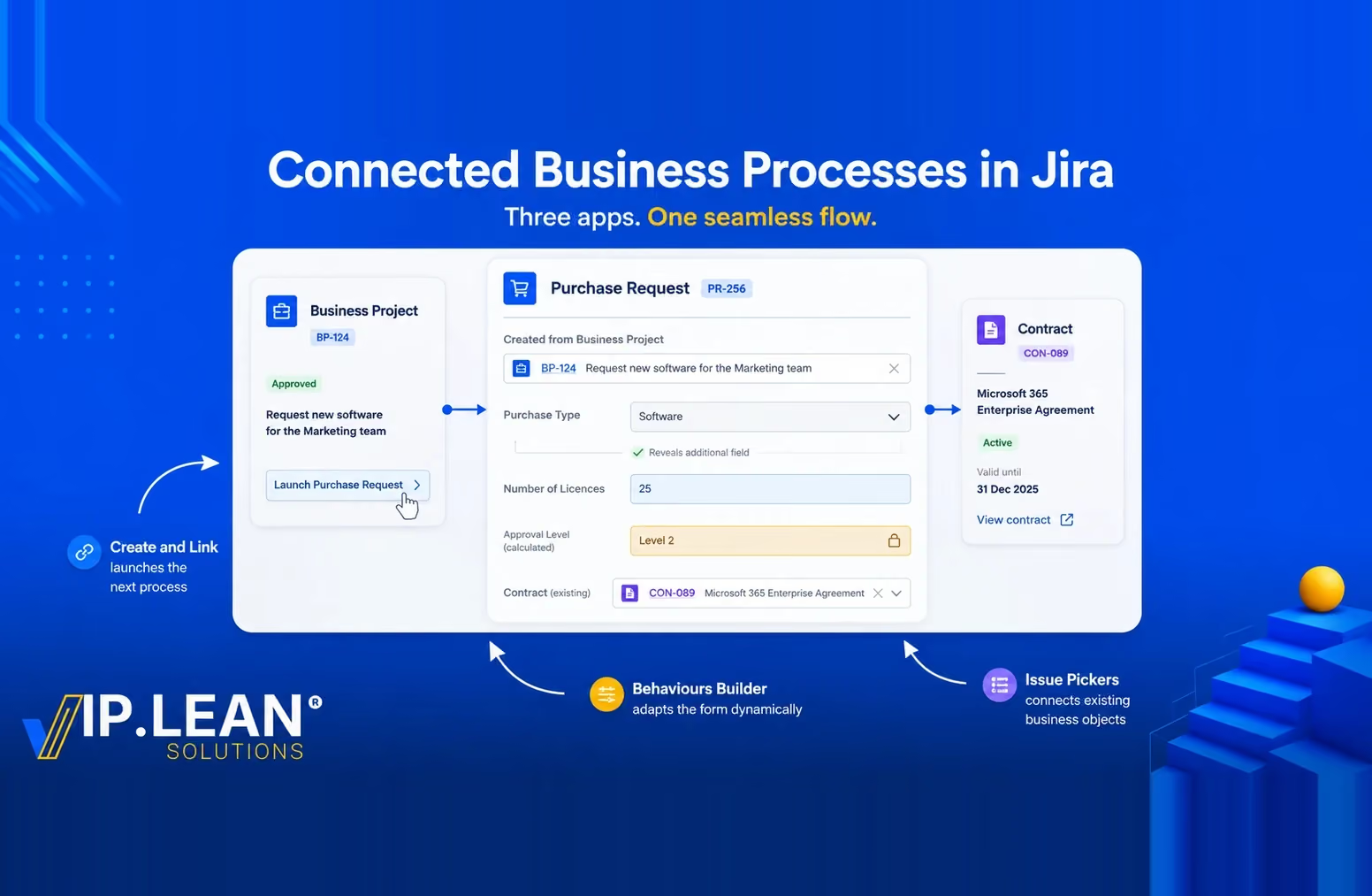
| Script fragments that create linked issues | Every create-and-link button: where it appears, which issue type it creates, which fields it pre-fills and which link it sets | VIP.LEAN Create and Link | Buttons are configured graphically: template, placement and link in one place, with Behaviours on the new issue as an optional extra |
Are you planning a move from Data Center to Cloud? Tell us in the comments which part of your instance worries you most — script validators, Behaviours or Automation — and we will answer there.
.svg)