






.svg)

How to configure and manage database connections?
Configure database connections for VIP.LEAN ETL, supported drivers, URLs, credentials and pool size.
1 – Supported database versions
The following Database versions are supported
- Postgres based on driver version 42.7.1: support of PostgreSQL Server 8.2 till 16
- Oracle based in driver version 23.3.0.23.09: Oracle DB Server 23c, 21c, 19c, 18c, and 12.2
- SQL-Server / AzureSQL based on driver version 12.4.2.jre8:
2 – Database connections
Database connections are considered as a pool or resources, which can be used for several purposes. This core functionality will be installed with every VIP.LEAN app requiring read and /or write access to the databases.
Under the menu point: Manage apps > VIP.LEAN ETL FOR REPORTING > Database Connections you can create, edit, and delete the database connections:

3 – Add new database connection
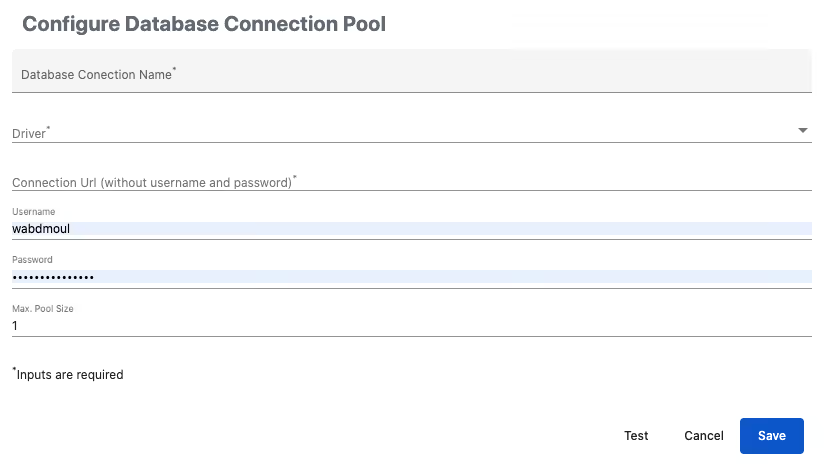
Please test your connection before you save the connection. In case you receive an error message, please contact your DB admin to analyze the root cause (Network connection error, User and password are wrong, Connection URL is wrong …).
Once the connection is saved, it can be used by the app for further actions.
Please note: In the case where you use the DB connection actively for read or write actions, any subsequent change to the database parameters could lead to major errors. If you want to migrate your ETL for Reporting App to another ETL connection, please create first a second DB connection and migrate the Data ETL Rules to this connection.