






.svg)

How to Define a New Data ETL Rule?
Define a new Data ETL rule to export Jira data into database tables and automate reporting setup. OK
1 – What are the Data ETL rules?
The Jira data fields are stored in a technical manner in the database used by the Jira Server platform. The data structure follows the Jira logic. If you would like to use your data on a functional level and a customized structure, you should first set which kind of data you would like to store in your data warehouse tables. The dimensions of this concept are:
- Server ID: all data in a data warehouse table refer to a unique Jira server ID. You can store data from different Jira instances in a central table.
- Jira Projects: You can store data of a single or multiple projects in the data warehouse tables. That depends on your needs.
- Issue Types: You can store data of a single or multiple issue types per Jira project in the data warehouse tables.
- Fields: This is the lowest level that allows you to decide which fields you wish to export to the data warehouse tables.
Once you have a clear concept of your data model you should start to create the Data Warehouse Rules.
2 – How to create a new Data ETL rule?
The following steps should be configured:
2.1 Set your Rule Name and select your Jira Project(s)
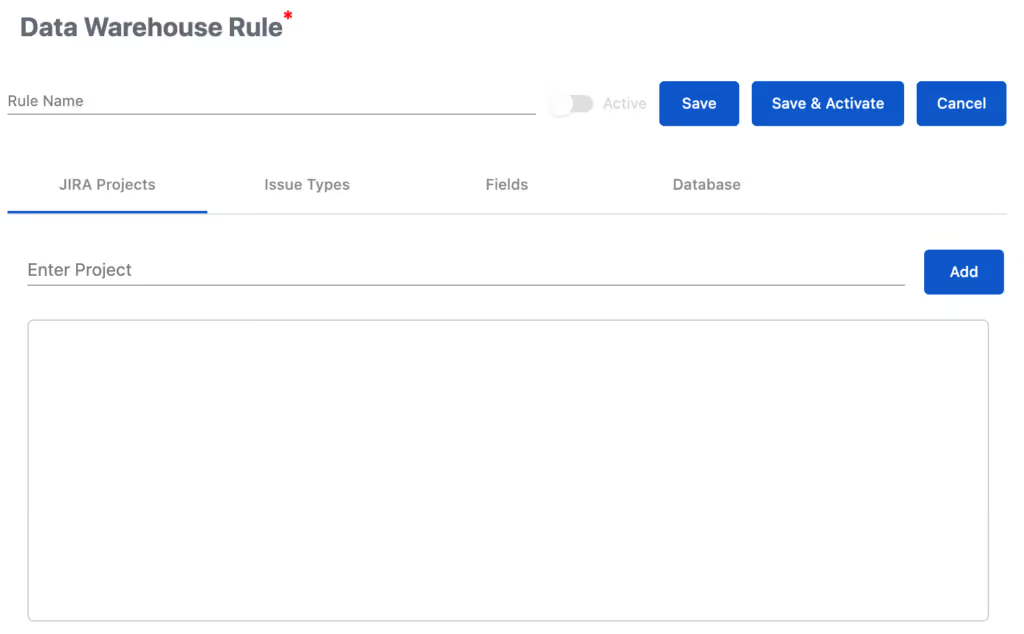
Please enter a Rule Name and then select your Jira Project(s) by typing the name in “Enter Project” and then clicking on “Add”
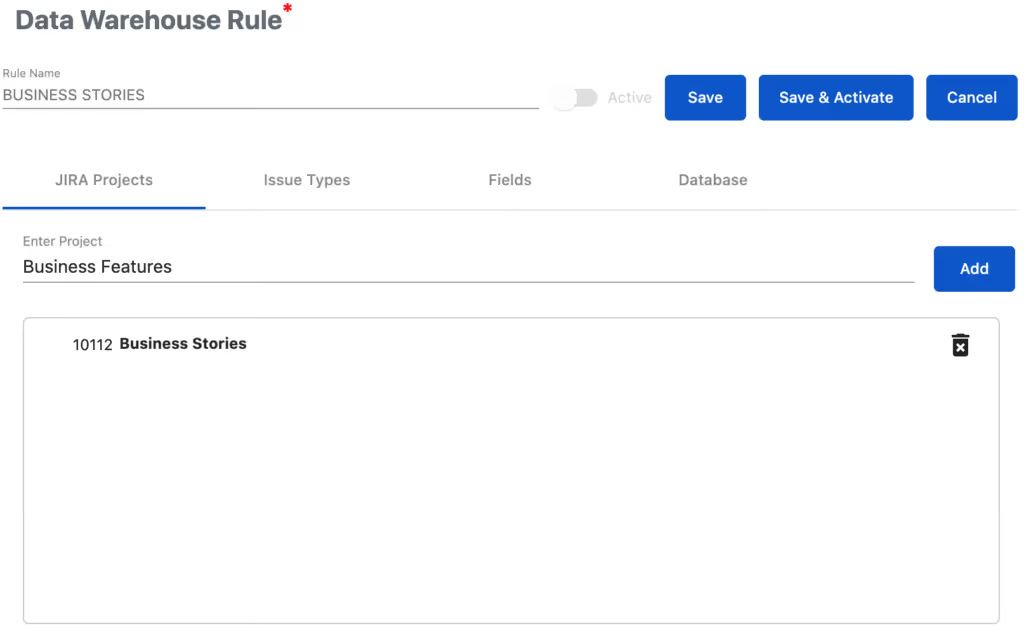
2.2 Select your Jira issue types
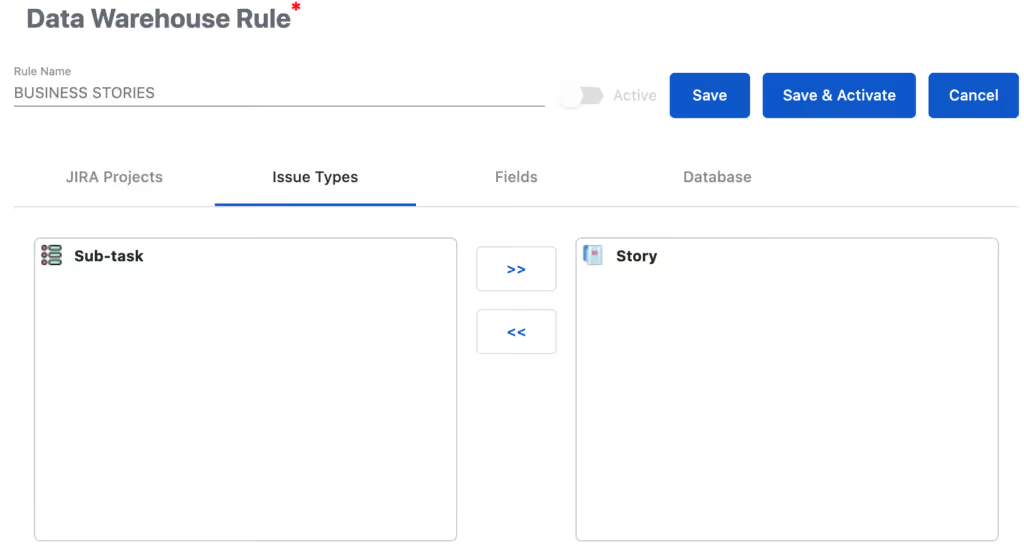
Precondition: At least one Jira project has been selected in the previous step
In the next step, you click on “Issue Types”. The issue types of the previously selected Jira project(s) are listed. Please drag and drop to move the issue types to the right side. These issue types will be considered in the app. You can also use >> or << to move to whole issue types' list.
2.3 Select your Jira fields
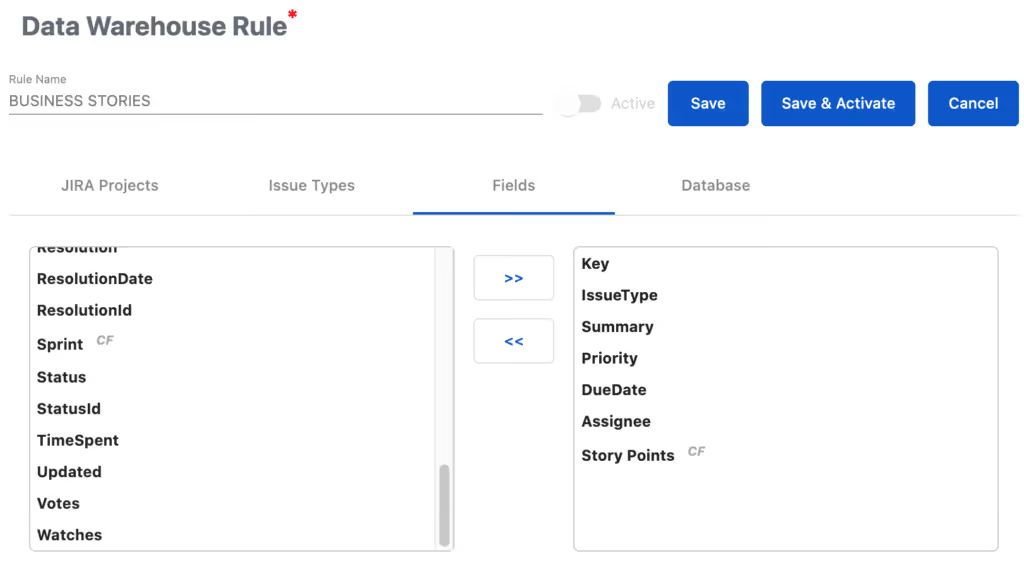
In the next step, click on “Fields”. The system and custom fields of the previously selected issue type(s) are listed. Please drag and drop to move the fields to the right side. These fields will be considered in the app. You can also use >> or << to move to whole field list.
2.4 Configure the database access
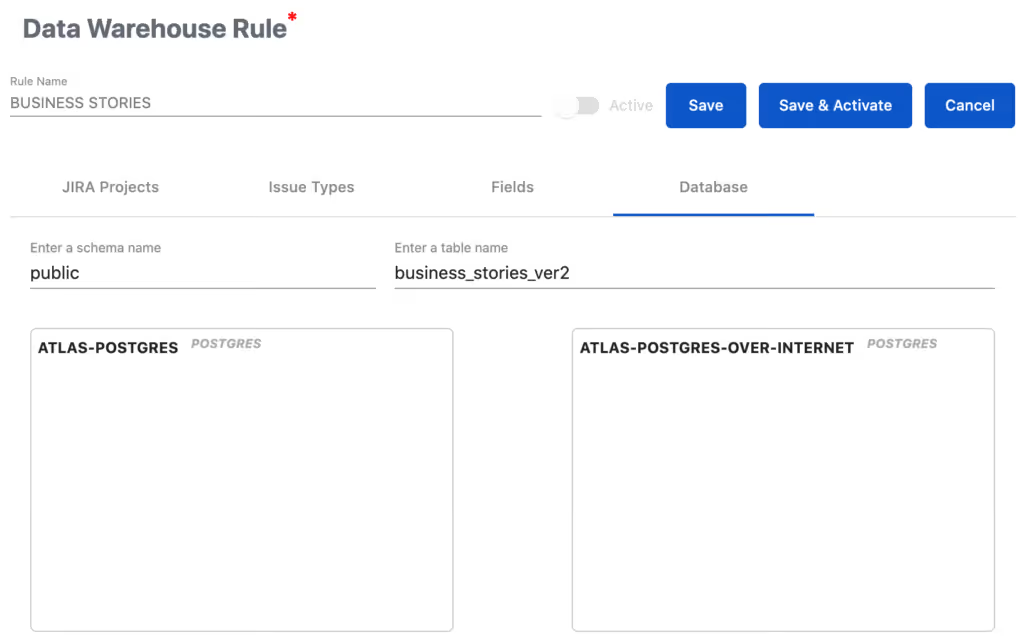
In the last step, you must enter the schema name. If this value is not set as default, schema of the DB user will be used.
You must drop the DB connection you configured before here.
3 – How to activate the Data ETL rule?
Once you finalized the configuration of the Data ETL rule, you can
- Save the rule without activation. The activation can be done later OR
- Save and activate with one click. You can deactivate the rule anytime.
A deactivated rule doesn’t write any data in the database.
For the first activation, the configured table name in the rule will be checked by the app. A pop-up window informs you about the action to be done by the app:
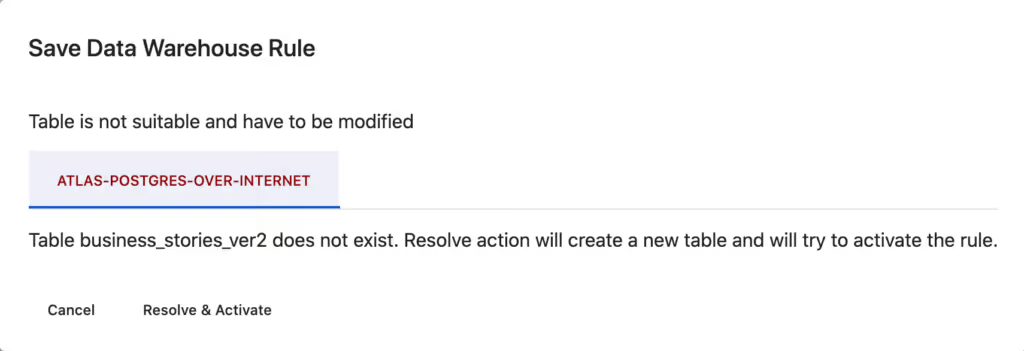
Please click on “Resolve & Activate” to allow the app to create the required table and to start the reporting of Jira changes.
The following info will be displayed:

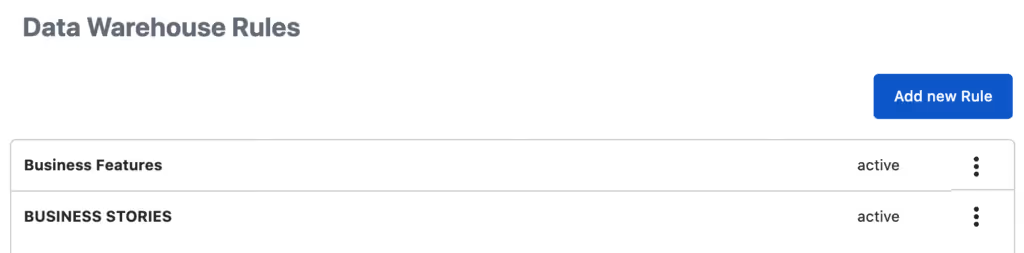
Please make sure the “active” status in on in the Rule List:
The app has the following logic
- Any table created by the VIP.LEAN ETL for Reporting has technical columns to identify these tables as own tables. Please don’t change this.
- The VIP.LEAN ETL for Reporting never overwrites any tables, which are NOT identified as own tables.