






.svg)

How to Manage Existing Issue Pickers
Learn how to manage, edit, delete, and re-index your existing VIP.LEAN Issue Pickers. Includes context management for project-specific configurations.
1. How to Manage the Existing Issue Pickers
Required Jira Role: Jira Software Administrator
- Click on Settings > Apps
- Navigate to the Issue Picker App
The list of Issue Pickers will be displayed:

You can start the following actions using the context menu icons:
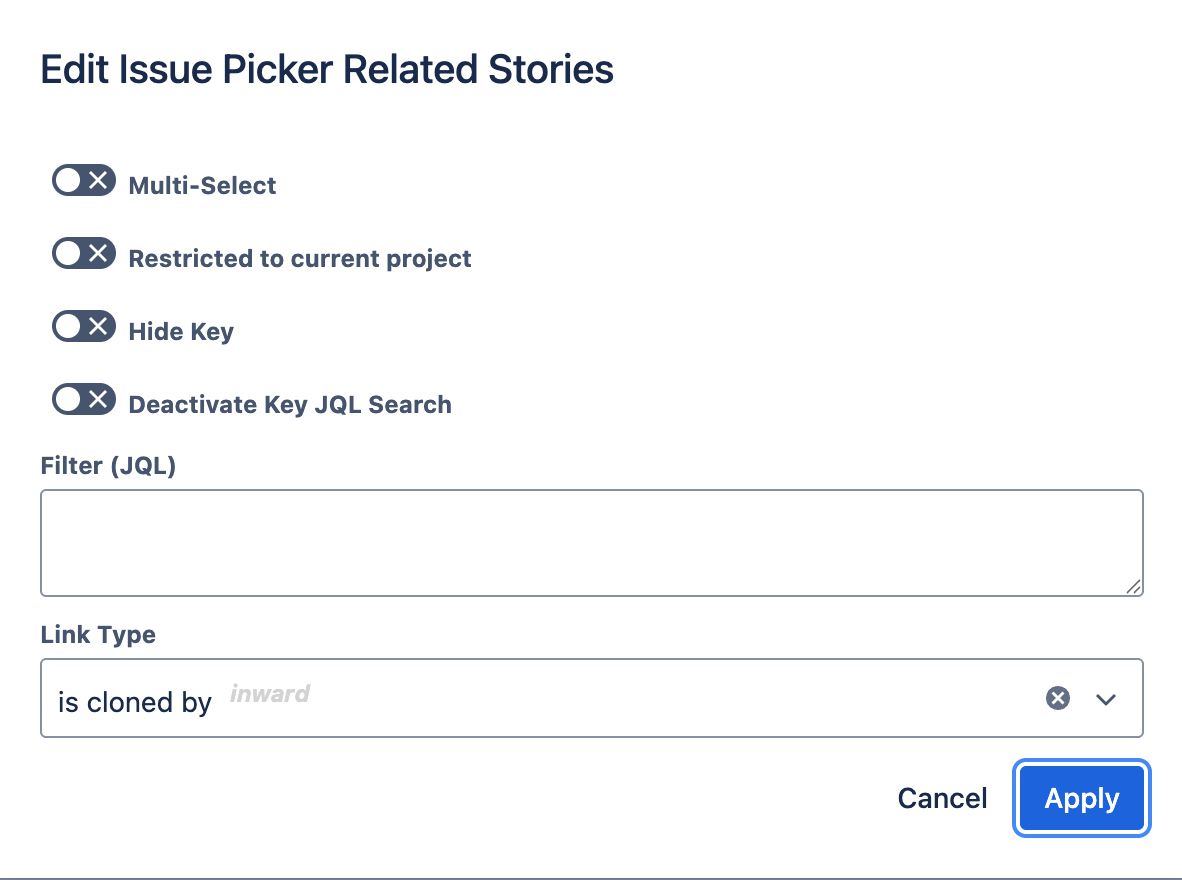
1.1 Edit Action

You can edit the following parameters of an existing Issue Picker: JQL filter, multi-select mode, hide key, restriction to current project, and more.
1.2 Delete Action

You can delete the Issue Picker. The entire Jira custom field will be removed after your confirmation.

1.3 Add Context Action

You can add a specific configuration for certain Jira projects and issue types. This allows different rules in different contexts for the same Issue Picker custom field: Filter (JQL) and/or Restricted to Current Project.

1.4 Auto-Fill Action

You can auto-fill Issue Pickers based on existing links. See the dedicated article "How to Auto-Fill Issue Pickers Based on Existing Links" for details.
2. How to Manage the Existing Issue Picker Contexts
Required Jira Role: Jira Software Administrator
The list of Issue Picker contexts can be displayed by expanding the Issue Picker field:

You can start the following actions using the context menu icons:
2.1 Edit Context Action
You can edit the context parameters: JQL filter and project restriction.

2.2 Delete Context Action
You can delete the context after your confirmation.

2.3 Add Context Action

You can add additional contexts with this button. Our app does not use the standard Jira context configuration – instead, we provide all Issue Picker information in a single panel.
3. How to Re-Index the Issue Pickers
Required Jira Role: Jira Software Administrator
The scenarios listed below may result in inconsistencies. In such cases, administrators should rectify these by clicking the re-index button:

- Custom fields removed by the administrator outside the App Configuration Panel.
- Jira updates not accurately relayed to our app.
- The app being improperly uninstalled and then reinstalled.
Generally, the need to use this button should be exceedingly rare.