






.svg)

How to Install 𝕍𝕃 Issue Pickers
Step-by-step guide to installing VIP.LEAN Issue Pickers on your Jira Cloud instance. Covers supported versions, installation steps, initial indexing, and theme support.
1. Supported Jira Versions
The Jira app VIP.LEAN Issue Pickers supports Jira Cloud / Forge Framework.
2. Installation Steps
Required Jira Role: Jira Software Administrator
- Log into your Jira instance.
- Click the Apps dropdown and choose Find new apps.
- Search for VIP.LEAN Issue Pickers and click on the app tile.
- Click Try it free to start installing your app.
- You’re all set!
Under "Manage apps", the installed app will be displayed.

3. Initial App Indexing
Required Jira Role: Jira Software Administrator
Upon its initial installation or following a re-installation, the Issue Pickers App initiates an initial indexing process. This crucial step is designed to:
- Restore Issue Pickers created by a previous installation
- Create a high-speed, accessible cache: To significantly boost the efficiency of your operations, the app constructs a rapid-access cache. This cache is securely hosted on your cloud instance, offering swift and reliable access to your data.
4. Jira Theme Support
Required Jira Role: Jira Software User
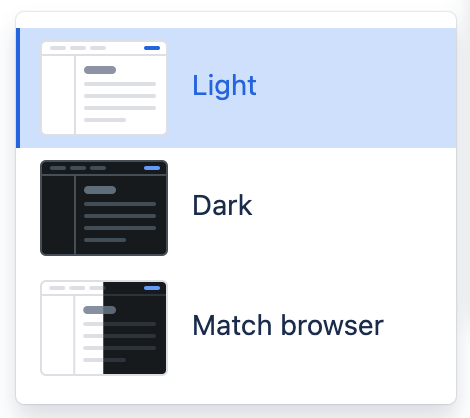
Light and Dark Jira Themes are supported starting from production version 5.4.
5. Limitations
For a detailed list of current Atlassian Forge Platform limitations that may affect VIP.LEAN Issue Pickers, please refer to the Atlassian Forge Platform Limitations documentation.