







How the Issue Picker Works from an End User's Perspective
Learn how end users interact with VIP.LEAN Issue Pickers in Jira Cloud. Covers when the picker is displayed, how issues are listed, and how to use the search function.
1. How Do End Users Pick Issues?
Required Jira Role: Jira Software User
1.1 When Is the Issue Picker Displayed for End Users?
The end user can utilize the Issue Picker under the following conditions:
- The Issue Picker is included in the create and/or transition and/or edit screen.
- The end user has permissions to create and edit the specific work item type.
To use the Issue Picker correctly in the transition screen, please activate the New Work Transition Experience.

1.2 How the Relevant Issues Are Listed in the Issue Picker
The list of issues that the end user can select is dynamically generated by the app:
- The app executes the Filter JQL as an admin and retrieves a list of issues.
- This list can be limited to the current project if configured accordingly.
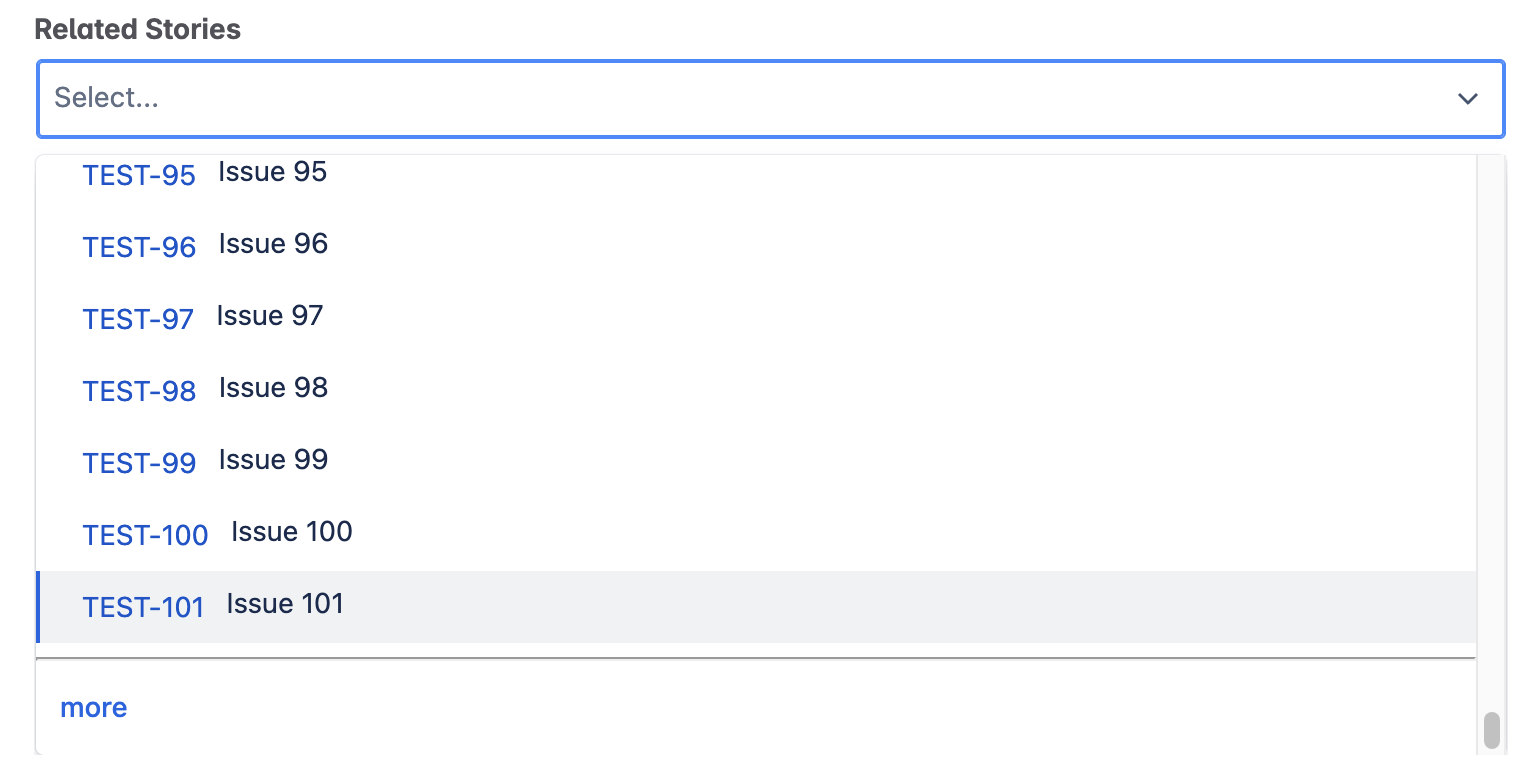
- Initially, only the first batch of issues retrieved is displayed (subject to Atlassian's limitations).
- To view additional issues, the end user must click 'more'.
We assume that no end user will scroll through thousands of options. In such cases, the end user will likely use the search function to narrow down the results. Therefore, we have decided not to retrieve all options and provide a paging function (the behavior is similar to the standard field Fix Version/s). Fetching an extensive list of options could result in significant waiting times, especially when the option list is extensive.
1.3 How Can the End User Use the Search Function?
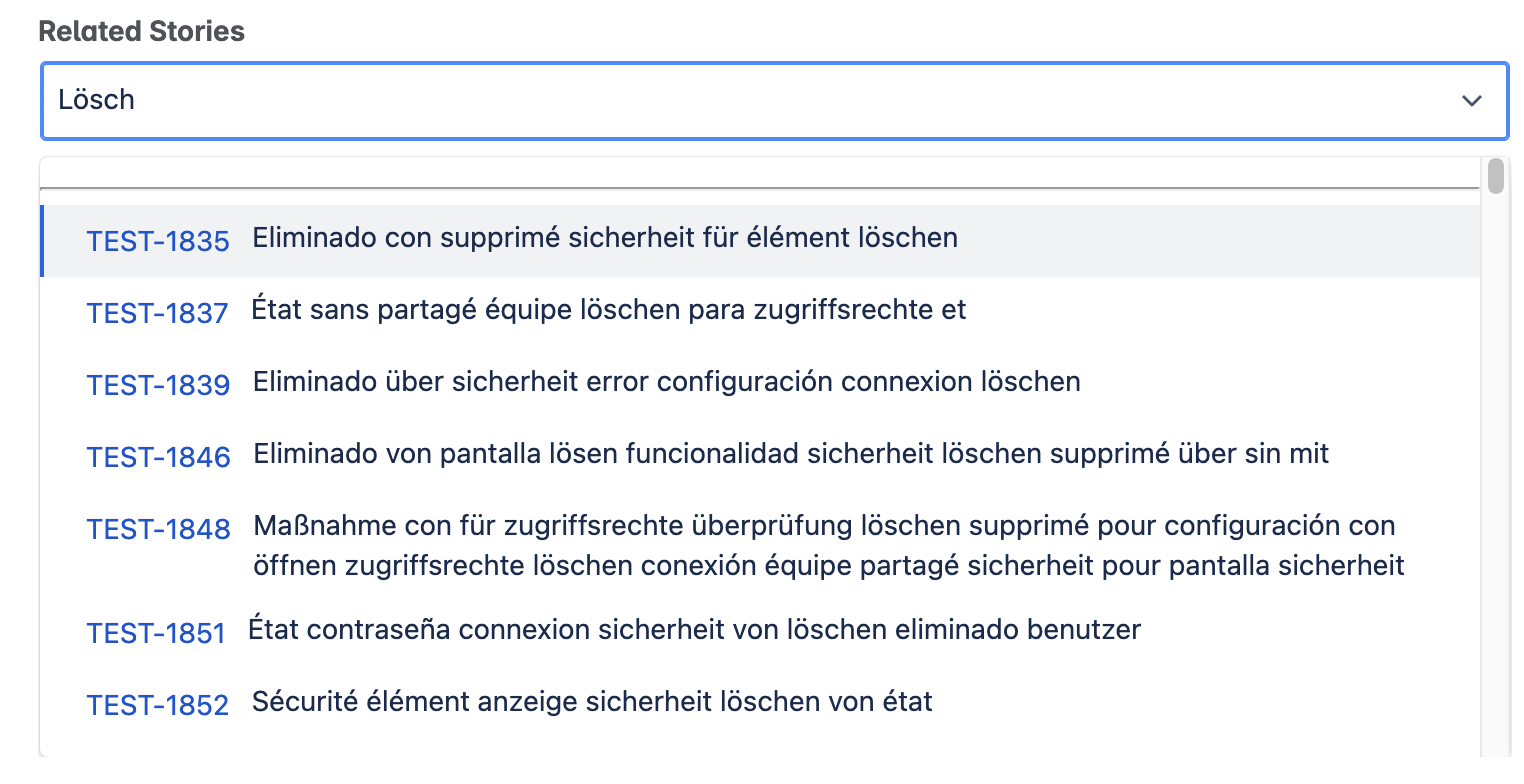
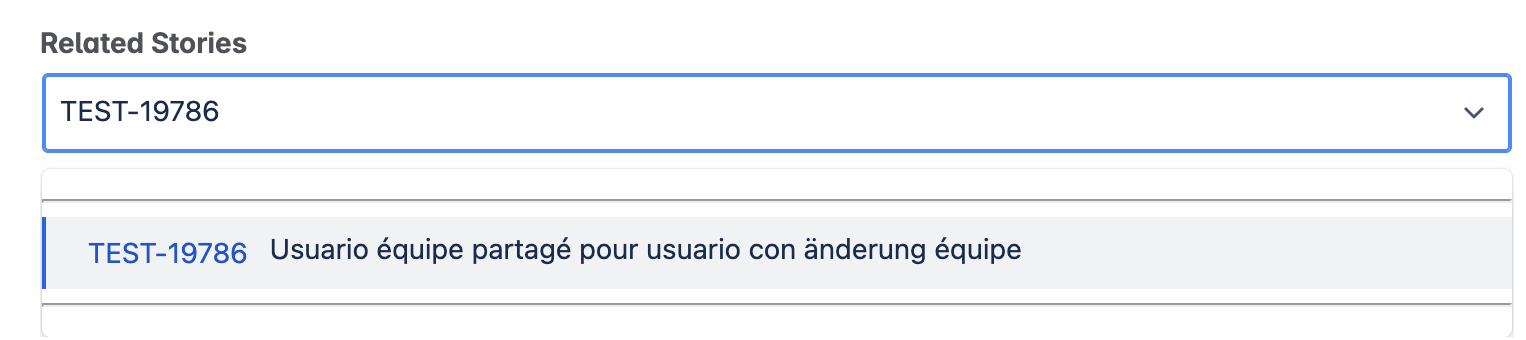
The end user can enter any text to narrow down the list of listed work items:
- Summary Search: The app searches for the entered text in the Summary field to retrieve a subset of the listed work items.
- Key Search: The app also searches for exact work item keys (a forecast search is planned to list STORY-1, STORY-10 through STORY-19 when STORY-1 is entered).
The search function of the app is based on the native search function of Atlassian, utilizing the JQL syntax. Therefore, the capabilities and limits are the same.
Integrate your CRM with other tools
Venenatis sollicitudin posuere elit consequat et enim. Neque tortor amet dictum tempor. Leo facilisis aliquet viverra scelerisque eleifend viverra est. At massa erat vel amet enim laoreet dictum pellentesque. Urna cursus quam pulvinar tellus. Duis fermentum nibh volutpat morbi. Et ac sed ultricies ut nunc.
How to connect your integrations to your CRM platform?
Et urna ac et maecenas fusce amet. Nibh nec commodo massa sed. Tincidunt porttitor in pharetra egestas sit neque ac lacus. Amet a nunc et cum. Odio at volutpat volutpat in leo eget ipsum diam elementum. Erat magna arcu orci.
- Morbi fringilla molestie magna sed dictum. Praesent pharetra.
- Cras mi purus, viverra vitae felis sit amet, tincidunt fringilla lorem.
- Non mattis urna ex nec sem. Donec varius diam et suscipit.
- Quisque euismod posuere lacus sit amet volutpat praesent.
Quis faucibus massa sit egestas. Sit fermentum est ac pulvinar et sagittis sed sit ut. Quis faucibus aenean nibh vestibulum enim mi sit. Sollicitudin ultrices ultrices in ipsum urna fringilla massa leo. Sapien ultricies vitae rhoncus molestie purus. Urna urna dolor euismod porttitor et. Magna adipiscing dictum et adipiscing.

Quis faucibus massa sit egestas. Sit fermentum est ac pulvinar et sagittis sed sit ut. Quis faucibus aenean nibh vestibulum enim mi sit. Sollicitudin ultrices ultrices in ipsum urna fringilla massa leo. Sapien ultricies vitae rhoncus molestie purus.
Infotech is the next-gen CRM platform designed for modern sales teams
Cursus curabitur euismod vel fermentum sapien non dolor odio vel. Tortor lectus mauris in praesent a tincidunt nam. In aenean odio aliquet pretium viverra elit quis magna. Eget ut risus posuere velit purus nisi nec sollicitudin tellus enim.
“Sed id mi eget urna facilisis pharetra. Nunc viverra est at magna maximus consectetur. Sed nec maximus augue. Aliquam commodo sem eu.”
Cursus curabitur euismod vel fermentum sapien non dolor odio vel. Tortor lectus mauris in praesent a tincidunt nam. In aenean odio aliquet pretium viverra elit quis magna. Eget ut risus posuere velit purus nisi nec sollicitudin. Tellus enim interdum neque sit vestibulum lacus. Nam pulvinar a lectus justo aliquet.
Why using the right CRM can make your team close more sales?
Sed non quis tellus velit orci. Quam sed mauris elementum tempor viverra. Luctus semper risus ipsum id diam praesent. Pretium eget mauris ultrices curabitur sed sem amet. Erat nulla habitant in mattis massa mi adipiscing.
- Morbi fringilla molestie magna sed dictum. Praesent pharetra.
- Cras mi purus, viverra vitae felis sit amet, tincidunt fringilla lorem.
- Non mattis urna ex nec sem. Donec varius diam et suscipit.
- Quisque euismod posuere lacus sit amet volutpat praesent.
What other features would you like to see in our product?
Sed non quis tellus velit orci. Quam sed mauris elementum tempor viverra. Luctus semper risus ipsum id diam praesent. Pretium eget mauris ultrices curabitur sed sem amet. Erat nulla habitant in mattis massa mi adipiscing ullamcorper condimentum. Erat quisque integer tincidunt ac amet.