








Getting Started
Discover VIP.LEAN Issue Picker for Jira Cloud: picker fields filled by JQL or Dynamic JQL, a filter per space and work type, Jira links in sync both ways, and no option limit.
1. Why Issue Picker
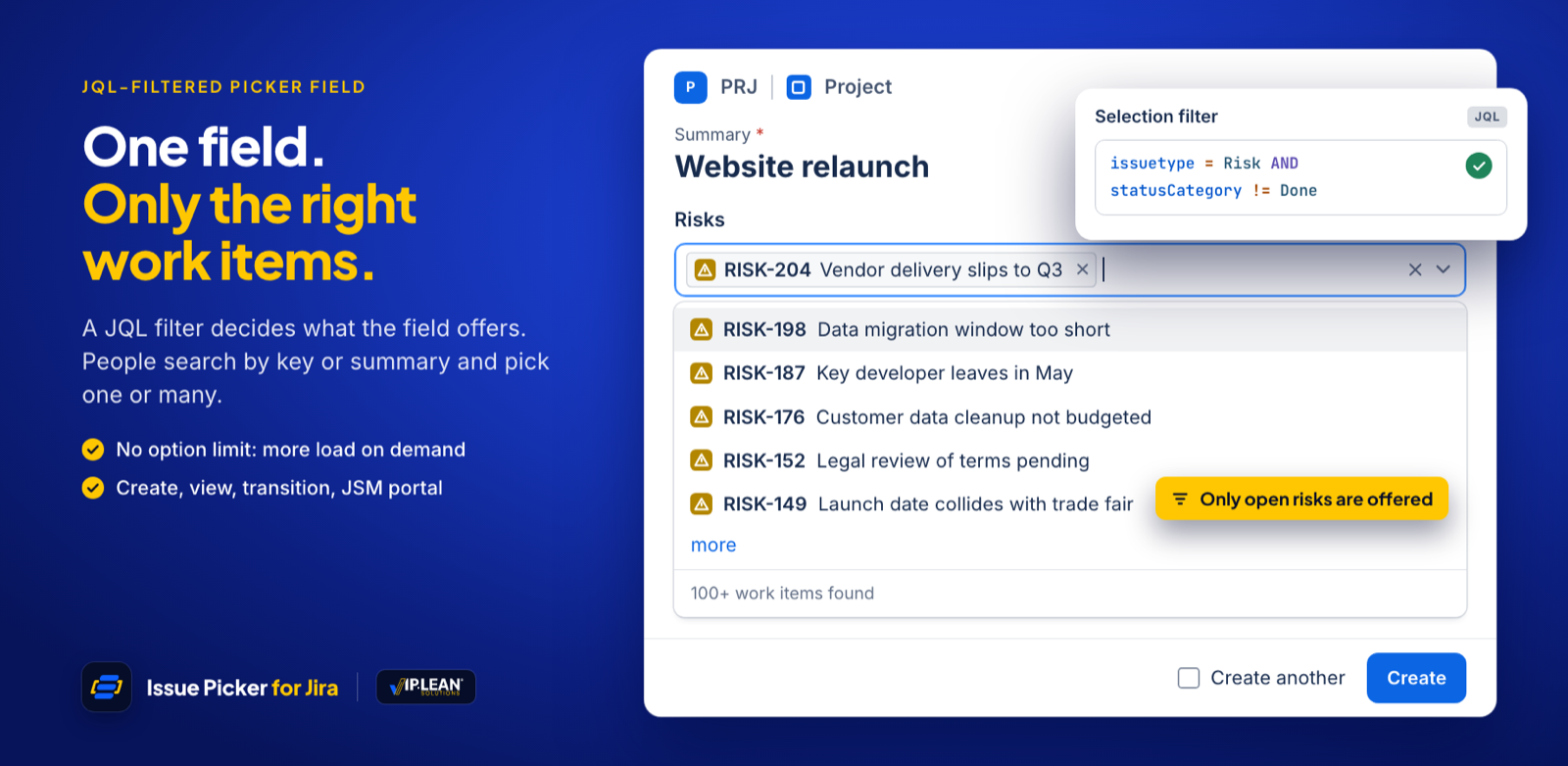
VIP.LEAN Issue Picker turns Jira custom fields into picker fields for work items. A JQL filter decides which work items each picker offers, and every pick can become a native Jira link.
Compared with plain Jira links, this gives you:
- Only the right work items: filter by space, work type, status or any other field.
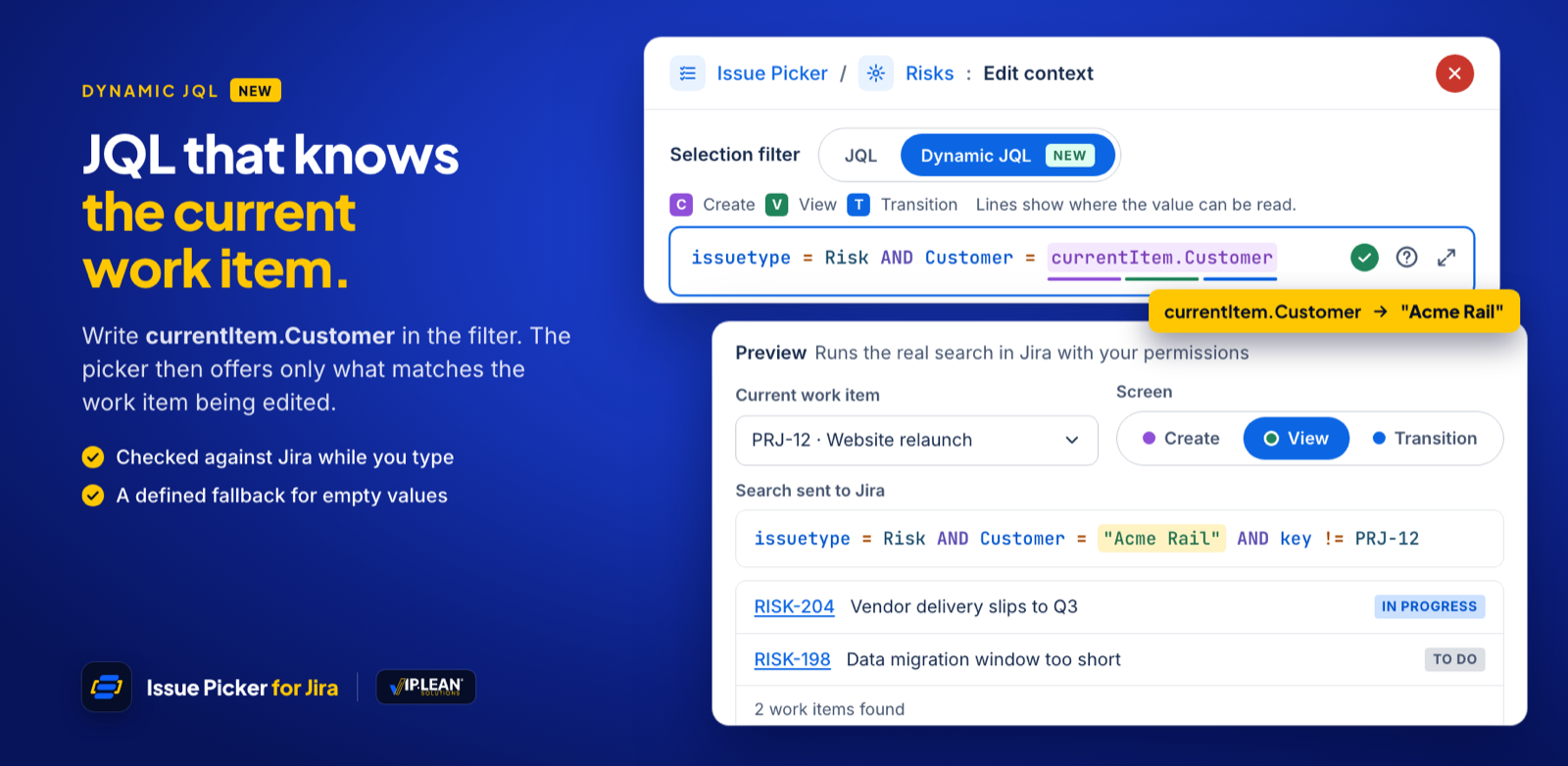
- A filter that knows the current work item: with Dynamic JQL, a picker offers for example only work items of the same customer.
- One field, many contexts: a different filter, search and display per space and work type.
- Links in sync: picks create Jira links, and links created or deleted in Jira can update the field.
- Your choice of display: single or multi-select, and which details the work item view shows: work type, key, summary, status, assignee, priority.
- Automation: Jira Automation can read and set Issue Picker fields.
2. Key Concepts
| Concept | What it means |
|---|---|
| Issue Picker | A Jira custom field of the type VIP.LEAN Issue Picker. You create and manage it under Settings › Apps › Issue Picker. |
| Selection filter | The query that decides which work items the picker offers, written as JQL or Dynamic JQL. |
| Dynamic JQL | A selection filter that uses values of the current work item, written as currentItem.<field>, e.g. Customer = currentItem.Customer. |
| Context | A set of spaces and work types with its own selection, search and display settings. Everywhere else, the picker's defaults apply. |
| Display fields | What the work item view shows for each picked work item. |
| Link type | The Jira link created for each pick, plus two switches for the way back from Jira links to the field. |
| Auto-fill | Fills empty pickers from links that already exist, e.g. after a migration. |
3. What's New
The current release of Issue Picker brings:
- Dynamic JQL: a context filter can use values of the current work item (
currentItem.<field>), with the fallbacks.falseIfEmptyand.trueIfEmptyand a preview per screen. See How to Filter by the Current Work Item with Dynamic JQL. - Display fields: work type, summary, assignee and priority can be shown for each picked work item.
- Subtasks: add subtasks of the current work item to what a picker offers.
- Redesigned administration: an editor with the sections Field, Selection, Display and Links, a live preview of the search, table and card view, and more filters.
- Jira's new work item view is supported; an empty field shows “None”.
- Contexts are built from spaces and work types, and the wording follows Jira: space, work item, work type.
4. Why VIP.LEAN Issue Picker
We first built Issue Pickers as part of VIP.LEAN Advanced Links, an app on Atlassian's Connect framework. VIP.LEAN Issue Picker combines that experience with the Atlassian Forge platform: it is hosted by Atlassian, and we removed limits wherever we could.
| Function | VIP.LEAN Advanced Links | VIP.LEAN Issue Picker |
|---|---|---|
| App hosting | Hosted by VIP.LEAN Solutions GmbH – Germany | Hosted by Atlassian |
| Multitenancy | VIP.LEAN Solutions GmbH | Atlassian |
| Logging platform | VIP.LEAN Solutions GmbH | Atlassian |
| Data residency | – | Provided by Atlassian |
| Limit of the option list | 10,000 per context field | No limit (tested with 200,000) |
| Full support of space types | Partial | Yes |
| Different JQL for different contexts | Yes | Yes |
| Restriction to current space | No | Yes |
| Parallel management | No | Yes |
| REST API error handling | Basic | Full (Atlassian) |
| Paging of long option lists | No | Yes |
| Jira Service Management | Yes | Yes |
| Indexing of options | Required | Not needed (live Jira search) |
| Summary changes | With delay | Shown immediately |
| Hide work item keys | – | Yes |
| Link sync after picker changes | Yes | Yes |
| Picker sync after link changes | Yes | Yes |
| Automation rules | Yes (complex) | Yes (simple) |
5. Examples
- Risks on a project: a Risks field offers only open risks, and each pick links the risk to the project with “has risk”.
- Same customer: with Dynamic JQL, a request offers only contracts or assets of its own customer.
- Feature-story mapping: a field on stories lists all features of the same space.
- Cross-referencing bugs: a field on bugs lists the stories or tasks where the bug was found.
- Departments and locations: keep departments or sites as work items and let people pick them, so work is categorized consistently.
- Dependency management: a field lists possible dependencies, so teams see what their work relies on.
- Customer feedback: link feedback to the features or products it is about, for better product planning.
These are just a few examples – contexts and Dynamic JQL let you shape Issue Pickers for many more use cases.